Dext vs QuickBooks UK 2026: Which Is Right for UK Bookkeepers?
Dext vs QuickBooks UK 2026: Which Is Right for UK Bookkeepers?
Last updated: September 2026
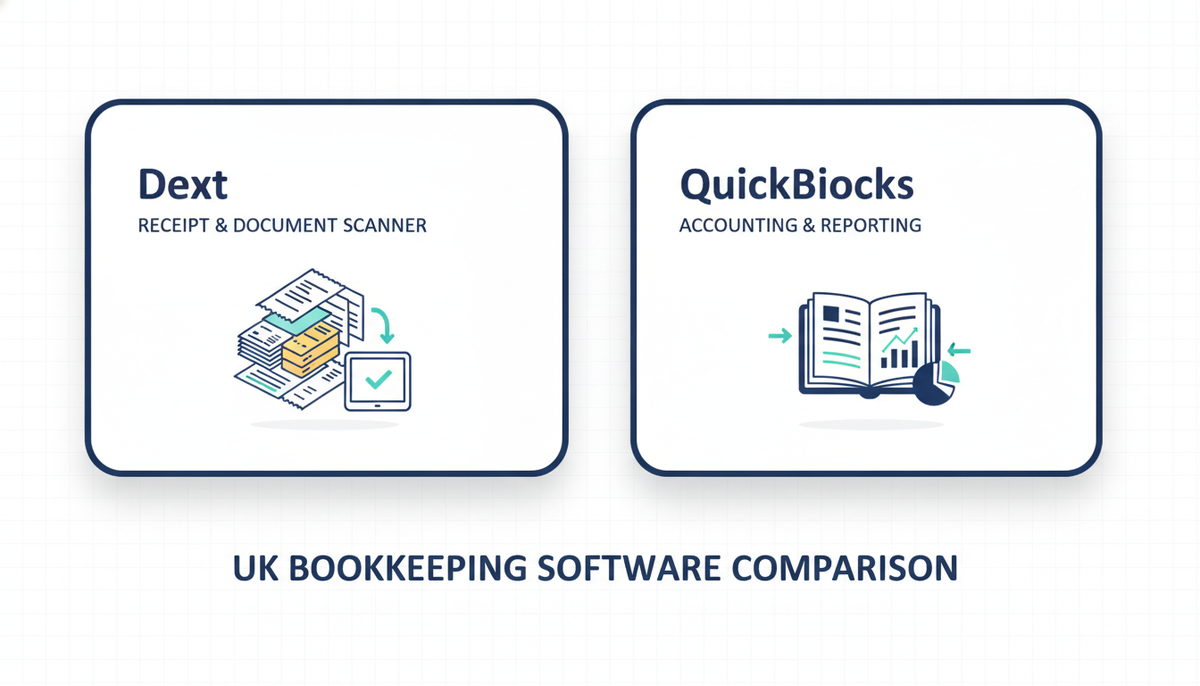
If you've been searching "Dext vs QuickBooks" expecting a clear winner, here's the honest answer: you're comparing a receipt scanner to an accounting ledger. Dext captures and extracts your financial documents; QuickBooks records, reports, and files your accounts. They solve different problems — and for many UK bookkeepers and sole traders, the real question isn't which to choose but whether you need both, one, or neither.
This guide cuts through the confusion. We'll show you exactly what each tool does, what each costs in 2026 after QuickBooks's January price increases, and — crucially — which combination makes sense for your practice size and client volume.
Try Dext free for 14 days — no credit card required
TL;DR
- Dext captures and extracts receipts and invoices. It is not accounting software — it feeds clean data into your accounting software.
- QuickBooks is full accounting software. At low document volumes, its built-in receipt capture is adequate. At higher volumes, it is not a substitute for a dedicated tool like Dext.
- Most UK bookkeepers with multiple clients run both together as a two-tier stack. For a sole trader with simple finances, QuickBooks alone is often sufficient.
What Each Tool Actually Does
Understanding why "Dext vs QuickBooks" is a slight misnomer makes for a much better purchasing decision.
| Dext | QuickBooks | |
|---|---|---|
| Primary function | Receipt, invoice & bank statement capture with AI extraction | General ledger, invoicing, VAT filing, financial reporting |
| Starting price (UK, ex VAT) | £24/month | £16/month (Simple Start) |
| MTD-ready | Dext Solo only (direct HMRC recognition) | Yes — Simple Start and above |
| Is it accounting software? | No — feeds data into your accounting software | Yes |
| Free trial | 14 days, no credit card | 30 days |
| UK data storage | EU/UK servers | UK/EU data residency |
| Best for | High-volume document processing, multi-client practices | Core bookkeeping, VAT filing, invoicing, annual accounts |
The cleanest way to think about it: QuickBooks is the accounts department. Dext is the mailroom that sorts, reads, and routes every incoming document before it reaches the accounts department. If your mailroom is empty — a handful of digital receipts each month — you probably don't need Dext. If it's heaving, Dext pays for itself.
QuickBooks UK 2026: Pricing and What You Get
QuickBooks raised its UK prices in January 2026 — substantially in some cases. The Plus plan jumped 47%. Here's where things stand now:
| Plan | Price (ex VAT) | Users | Key features | MTD-ready |
|---|---|---|---|---|
| Sole Trader Plus | £10/month | 1 | Income, expenses, Self Assessment prep — no VAT filing | Partial |
| Simple Start | £16/month | 1 | VAT filing, bank feeds, invoicing, HMRC-recognised | ✅ Yes |
| Essentials | £33/month | 3 | Adds bill management, time tracking, multi-currency | ✅ Yes |
| Plus | £50/month | 5 | Adds inventory tracking, project costing, budgeting | ✅ Yes |
| Advanced | £82/month | 25 | Custom reports, batch transactions, dedicated support | ✅ Yes |
All prices exclude VAT. A 30-day free trial is available, and QuickBooks regularly offers 90% off for the first six months to new subscribers — though taking the trial instead of the promotional offer disqualifies you from the discount. Read our detailed QuickBooks Simple Start review for a full breakdown of what's included at each tier and whether the entry plan is genuinely sufficient for a UK sole trader.
A word on QuickBooks's built-in receipt capture: photographing receipts through the mobile app works adequately at low volumes. Above 30–40 documents per month, the manual correction overhead starts to outweigh the savings from not having a separate subscription — particularly for crumpled paper receipts, multi-line purchase invoices, or any document with complex VAT.
Dext UK 2026: Pricing and What You Get
Dext separates its pricing into two tracks: business accounts (sole traders and companies managing their own books) and practice accounts (bookkeepers handling a client portfolio). The 2026 pricing structure is notably more transparent than it was before the 2023 restructure, when practices faced increases of 200–400% with little warning.
Business Plans
| Plan | Price (ex VAT) | Users included | Documents/month | Extra users |
|---|---|---|---|---|
| Essentials | £24/month | 1 | 150 | £10/month each |
| Business | £39/month | 3 | 500 | £10/month each |
| Business Plus | £59/month | 5 | Unlimited | £10/month each |
Annual billing saves approximately 20% across all tiers. A 14-day free trial is available with full feature access and no credit card required.
Practice Plans (for bookkeepers managing multiple clients)
Practice pricing runs per client per month, with a minimum of 10 clients on the Essentials plan. Current 2026 figures sit at approximately £18.97 per client per month on Essentials — around £190/month for a 10-client practice and £299/month for 20 clients. Dext's practice dashboard, which gives you a single inbox showing every client's document health and submission status, is the feature that justifies the practice pricing for most bookkeepers. For our full Dext pricing and feature analysis, see the dedicated review.
One important note for smaller practices: Dext's 10-client minimum on practice plans means a five-client practice pays for 10 anyway. At that scale, Dext's business plans or a competitor like Receipt Bot may offer better value. Our Receipt Bot review covers how it compares at lower client volumes, including QuickBooks integration.
When QuickBooks Alone Is Enough
For a significant proportion of UK sole traders, QuickBooks Simple Start at £16/month handles everything: VAT filing, bank feeds, invoicing, income tracking, and HMRC-recognised MTD submissions. You don't need Dext if:
- You process fewer than 30–40 documents per month
- Your receipts are mostly digital — email confirmations, card statements, online supplier portals
- You manage your own books only — no client portfolio
- You're a freelancer or contractor with a straightforward income structure
In these cases, QuickBooks's own receipt capture is genuinely good enough. Adding Dext would be a second subscription solving a problem you don't have.
If you're evaluating QuickBooks against Xero or Sage rather than against Dext — a fundamentally different comparison — our Sage vs Xero vs QuickBooks head-to-head covers that in full, including the January 2026 price increases across all three platforms.
When You Need Dext Alongside QuickBooks
The economics shift as your document volumes or client count grow. Add Dext to your QuickBooks workflow when:
- Volume exceeds roughly 40 documents per month — at this level, Dext's 95%+ OCR accuracy against QuickBooks's basic capture justifies the additional subscription through time saved on corrections alone.
- You manage multiple clients — Dext's practice dashboard gives you a single view across all clients' submission health. QuickBooks offers no equivalent.
- Your clients hand you paper — photos of crumpled till receipts, torn invoices, multi-page purchase orders. Dext handles these far better than any built-in capture tool.
- You want supplier rules — instruct Dext that anything from Screwfix codes to "tools and materials" at 20% VAT, and every future Screwfix document codes itself. QuickBooks doesn't provide this automation layer.
- You need a clean MTD digital link — for sole traders caught by MTD ITSA (income over £50,000 from April 2026), Dext Solo is directly HMRC-recognised, providing a compliant digital link from document to quarterly submission.
The Dext–QuickBooks integration is well-built. Connect Dext to QuickBooks through the integrations panel, it synchronises your chart of accounts, and published items arrive in QuickBooks as bills, expenses, or invoices — document image attached, VAT codes applied, supplier categories pre-filled from your rules. Setup takes minutes and largely runs itself thereafter. For a broader look at how Dext compares with its main UK alternatives, our Dext vs Hubdoc vs AutoEntry roundup is worth reading before committing.
The Combined Stack: What It Actually Costs
If you decide you need both tools, here's the total monthly spend (ex VAT) across common practice configurations:
| Scenario | QuickBooks plan | Dext plan | Combined/month |
|---|---|---|---|
| Sole trader, moderate volume | Simple Start £16 | Essentials £24 | £40/month |
| Small business, 3 users | Essentials £33 | Business £39 | £72/month |
| Practice, 10 clients | Essentials £33 | Practice £190 | £223/month |
| Practice, 20 clients | Plus £50 | Practice £299 | £349/month |
Annual billing on both tools reduces each by approximately 20%, bringing the 10-client practice stack to roughly £178/month. At 20 clients, annual billing saves nearly £70/month compared with paying monthly — a meaningful number over the course of a year.
Against the alternative of a UK bookkeeper charging £25–£40/hour for data entry: a 10-client practice where each client generates four hours of manual receipt processing per month is spending £1,000–£1,600/month on a task the combined stack largely automates. The arithmetic is not complicated.
The Right Pick For...
A sole trader managing their own books with straightforward finances: QuickBooks Simple Start (£16/month) alone. Dext is unnecessary at low document volumes.
A sole trader wanting a single-tool MTD ITSA solution: Dext Solo. It's directly HMRC-recognised for quarterly updates without requiring a separate accounting platform — though you'll still need an accountant for annual accounts preparation.
A freelancer already on QuickBooks who wants to stop manually logging receipts: Add Dext Essentials (£24/month). The combined £40/month is less than one hour of a bookkeeper's time.
A bookkeeper managing 10–20 clients across QuickBooks: Both tools, practice pricing on Dext. The practice dashboard alone — showing document submission health across all clients at a glance — is worth the subscription.
A sole practitioner building their stack from scratch: Start with QuickBooks Simple Start and Dext Essentials. Run the combined stack for 90 days, measure time saved on data entry, then decide whether to upgrade tiers or reassess. Our guide to the best AI tools for UK bookkeepers in 2026 covers the wider landscape if you want to compare more broadly before committing.
A cost-conscious sole trader who can't justify £40+/month: QuickBooks Sole Trader Plus (£10/month) for basic tracking, plus QuickBooks's native receipt snap for low volumes. If document volumes grow, consider the range of receipt capture alternatives before defaulting to the most expensive option.
MTD ITSA and the April 2026 Deadline
Making Tax Digital for Income Tax went live in April 2026 for sole traders and landlords with qualifying income over £50,000. The first quarterly submission deadline is 7 August 2026.
Both QuickBooks (Simple Start and above) and Dext Solo are HMRC-recognised for MTD ITSA — but they handle different parts of the compliance workflow:
- QuickBooks Simple Start (£16/month): Handles quarterly updates and the year-end Final Declaration directly to HMRC. You manage your books in QuickBooks throughout the year.
- Dext Solo: Captures and organises your financial documents and is itself HMRC-recognised. Best for sole traders who want a minimal digital record-keeping tool without the overhead of full accounting software — though you'll need a separate package or accountant for annual accounts.
For most people already on QuickBooks, the MTD question is answered: stay on Simple Start or above, and you're covered. For a complete guide to the MTD software landscape, see our best MTD software for UK sole traders.
Frequently Asked Questions
Can I use Dext without QuickBooks?
Yes. Dext integrates with Xero, Sage, FreeAgent, and others — you don't need QuickBooks. Dext Solo is also directly HMRC-recognised for MTD ITSA, though it doesn't replace a full accounting package for annual accounts. Most bookkeepers pair Dext with whichever accounting software they use rather than running it in isolation.
Does QuickBooks include receipt capture?
At a basic level, yes. The QuickBooks mobile app lets you photograph receipts and log them as expenses. For low volumes and clean, well-printed receipts, this works fine. For higher volumes, crumpled paper receipts, or multi-line purchase invoices requiring accurate VAT extraction, Dext's AI is significantly more accurate and requires far less manual correction.
Did QuickBooks increase its UK prices in 2026?
Yes — substantially. In January 2026, QuickBooks raised prices across the board: Simple Start from £12 to £16/month (+33%), Essentials rose to £33/month, and Plus jumped from £34 to £56/month (+47%). For long-term subscribers, cumulative increases since 2022 have reached 75% on some plans. This has prompted many UK practices to actively review their software choices. Our Sage vs Xero vs QuickBooks comparison covers the alternatives.
Is Dext GDPR-compliant for UK client data?
Dext processes and stores data on EU/UK servers, which satisfies UK GDPR data residency requirements for most practices. The company is part of IRIS Software Group and is UK-headquartered following acquisition in December 2024. If your practice has specific data governance requirements or a DPA review policy, verify the current terms directly with Dext before signing up.
Is there a cheaper alternative to Dext for a small QuickBooks practice?
Yes. For practices under 10 clients, Receipt Bot (credit-based pricing from approximately £10/month) offers solid OCR accuracy and a native QuickBooks integration at a lower entry cost than Dext's practice plans. Datamolino is another option at comparable or lower price points depending on document volume. See our full receipt capture comparison for side-by-side pricing and feature data.
Related Reading
- Dext Review 2026: Is It Worth the Price for UK Bookkeepers?
- Best Receipt Capture Software for UK Bookkeepers (2026)
- Sage vs Xero vs QuickBooks: Which UK Accounting Software Wins in 2026?
Affiliate disclosure: Some links in this article are affiliate links. If you sign up through them, we may earn a commission at no extra cost to you. We only recommend tools we've genuinely assessed.