Dext Review 2026: Is It Worth the Price for UK Bookkeepers?
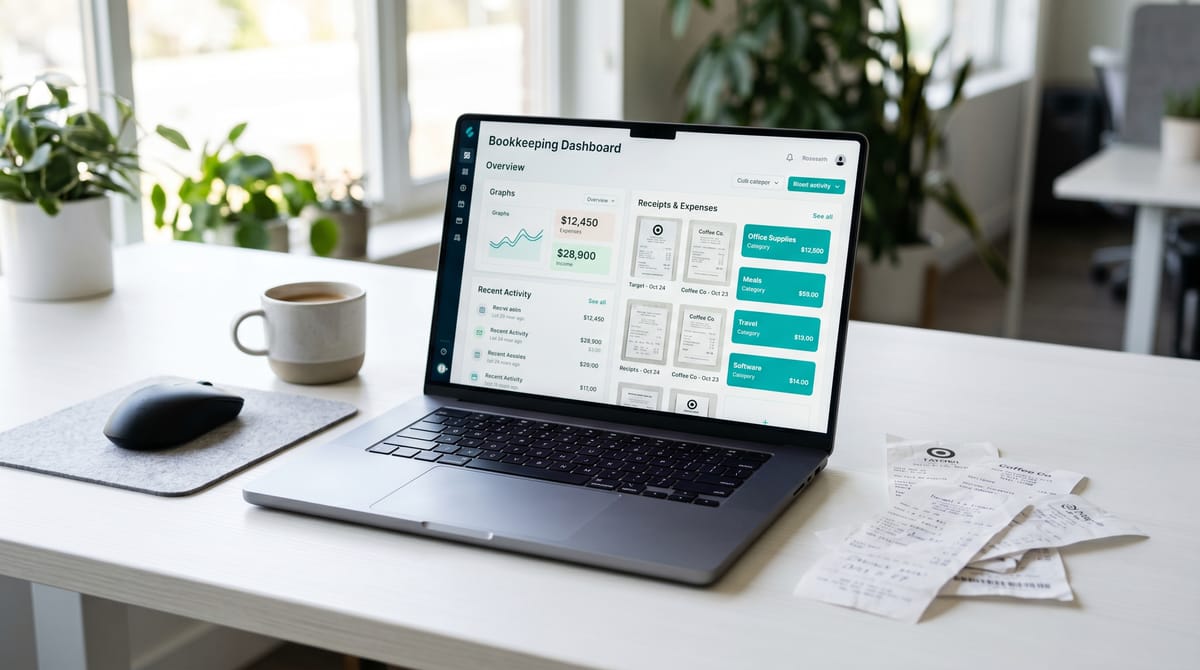
Dext has been the dominant name in receipt capture for UK practices for the better part of a decade. It started life as Receipt Bank back in 2010, rebranded in 2020, and has since become one of those tools that most bookkeepers have either adopted, considered, or been asked about by a client. The question that comes up most often isn't whether it works — it demonstrably does — but whether it's worth the price when cheaper and even free alternatives exist. That's what this review is here to answer.
This review is aimed at UK bookkeepers and sole practitioners deciding whether Dext earns a place in their tech stack, and at clients asking you whether they should be paying for it. We'll cover the features that actually matter, UK-specific considerations (VAT handling, MTD compliance, HMRC record retention), current 2026 pricing, and a straight comparison with Hubdoc and AutoEntry.
Ready to try it yourself?
Quick Verdict
Use Dext if you:
- Run Xero or QuickBooks and process more than 30–40 documents per month
- Manage multiple clients and want a single inbox with client-level separation
- Need a proper MTD digital link from receipt to accounting software
- Want the highest OCR accuracy currently available on UK receipts and invoices
- Value supplier rules and AI categorisation that actually improve over time
Think twice if you:
- Process fewer than 20 documents a month and have a Xero subscription (Hubdoc is free)
- Your clients are primarily on Sage and you want native integration at lower cost (AutoEntry, now owned by Sage, has an edge)
- You're a very early-stage sole trader where £24 ex. VAT per month feels disproportionate to your current volume
- You need a full bookkeeping platform — Dext captures and routes data; it doesn't replace your accounting software
What Is Dext, and What Does It Actually Do?
Dext Prepare — the product most bookkeepers will use — sits between your raw financial documents and your accounting software. You feed it receipts, purchase invoices, bank statements, and supplier bills through any of several capture methods: a mobile app photo, email forwarding, drag-and-drop web upload, or automatic fetching from connected supplier portals. Dext's OCR and AI extracts the key data (supplier, date, amount, VAT rate, payment method), applies your category and supplier rules, and then publishes the transaction to Xero, QuickBooks, Sage, or FreeAgent with the document image attached.
It doesn't raise invoices, reconcile your bank feed beyond basic matching suggestions, or file your VAT return. Think of it as an intelligent document-processing layer that handles the most tedious part of bookkeeping — getting data off paper and into your accounting software correctly.
Dext was acquired by IRIS Software Group in 2023, which has brought additional investment in its practice management integrations, though the core product has continued to develop independently.
Features: What You Actually Get
OCR Accuracy
This is Dext's headline claim, and it largely holds up. Dext reports 99.5% accuracy across its processing — trained on over 320 million documents per year — and independent user testing consistently puts real-world accuracy at 95–99% on clear, legible UK receipts and invoices. In practice, the failures tend to cluster around faded thermal paper (Tesco and BP receipts left in a car for three weeks), handwritten amounts, and badly photographed crumpled documents. For typed invoices and PDFs, accuracy is essentially reliable.
The distinction matters because a 95% accuracy rate on 200 documents a month still means 10 documents needing manual correction. The better your capture habits, the closer to 99% you get.
Capture Methods
Dext gives you more ways to get documents in than most competitors:
- Mobile app (iOS and Android) — photograph receipts on the spot; supports multi-document capture in one shot
- Email forwarding — each account gets a unique Dext email address; forward supplier invoices and they're processed automatically
- WhatsApp submission — photograph and send via WhatsApp to your Dext inbox
- Web upload — drag-and-drop PDFs and images on the dashboard
- Auto-fetch connections — direct integrations with 1,400+ suppliers including Amazon Business, Vodafone, Dropbox, PayPal, and Stripe to pull invoices automatically without manual capture
The auto-fetch connections are genuinely useful for clients with regular supplier relationships, and are the sort of feature that starts to compound in value once you've set it up across a client portfolio.
VAT Handling and UK-Specific Features
This is where Dext earns its keep for UK practices. The OCR engine is trained specifically on UK formats — it recognises VAT numbers, correctly reads GB VAT at 20%, 5%, and 0% rates, and maps tax codes to your chart of accounts in Xero or QuickBooks. When you publish a transaction, the VAT code travels with it.
Dext Vault stores every document encrypted in UK and EU data centres for up to 10 years — exceeding HMRC's 6-year VAT record retention requirement. This matters: thermal paper fades, shoeboxes get lost, and HMRC has been known to enquire into records from several years back.
Multi-currency handling is included, with automatic rate lookups, which is useful for clients with international supplier relationships. It works; just check the rates are pulling correctly on less common currency pairs.
MTD Compliance and Digital Links
Under Making Tax Digital, data must flow digitally from source to accounting system without manual re-keying — this is the “digital link” requirement. A photograph sitting in your phone gallery does not satisfy this. A Dext-processed receipt published directly to Xero does.
Dext creates and maintains the required MTD digital link from document capture through to your accounting software. With MTD for Income Tax Self Assessment (ITSA) now mandatory from April 2026 for qualifying income over £50,000 — and the threshold dropping further in coming years — having a compliant workflow established in advance is worth the effort.
Dext also offers Dext Solo, a product aimed specifically at sole traders entering MTD for ITSA, with quarterly update functionality built in.
Accounting Software Integrations
The Xero integration is the strongest, and it's been that way for some time. Once connected, published items arrive in Xero as bills, spend money transactions, or sales invoices with document images attached, VAT codes applied, and categories pre-filled from your supplier rules. It also won the Xero Small Business App of the Year award in 2024. The integration earns a 4.8-star rating from over 1,000 reviews in the Xero App Store.
QuickBooks Online integration is functionally very close — bills, expenses, and class tracking all work correctly. The Sage integration covers both Sage 50 and Sage Accounting and is rated very good, though users with deep Sage configurations sometimes report more manual mapping required than with Xero. FreeAgent integration exists but is more basic.
Supplier Rules and Learning
Set up a rule for a recurring supplier — say, all Costa Coffee receipts go to Staff Entertaining, all Screwfix to Materials — and Dext applies it automatically on every future document from that supplier. After a few weeks of use, most routine receipts need no manual intervention before publishing. The system also learns from your corrections, improving suggestions over time. This is where Dext starts to pull clear of simpler tools.
Practice Features
For bookkeepers managing multiple clients, Dext Practice adds a client management layer: you can see all client inboxes from one dashboard, manage document collection requests, and monitor what's outstanding. This alone saves a meaningful amount of the low-value chasing that tends to dominate practice life in the run-up to quarter end.
Pricing (UK, ex. VAT)
Dext's pricing structure changed in late 2025 and now runs on a per-user/per-document model for business accounts, and a per-client model for accounting practices. These are current 2026 figures.
Business Plans (Single Entity)
| Plan | Monthly Price | Documents/Month | Users |
|---|---|---|---|
| Sole Trader / Solo | ~£20–25 | 150 | 1 |
| Small Business | ~£29–36 | 250 | 5 |
| Business | ~£54–57 | 500 | 10 |
Annual billing saves approximately 20% across all tiers. Plans scale in increments of roughly £5.75 per additional user / 50 documents per month above your tier.
Practice Plans (Accountants and Bookkeepers)
Practice pricing is per client, with a minimum of 10 clients on the Essentials plan. The Essentials tier starts from approximately £18.97 per client per month. For a practice with 10 clients, that's around £190 per month. For 20 clients, closer to £299. These figures can feel significant until you're actually running the numbers on time saved per client, at which point the arithmetic typically comes out in Dext's favour for practices with any meaningful client volume.
All prices are ex. VAT. A 14-day free trial is available without requiring a credit card.
Pros
- OCR accuracy is genuinely market-leading — consistently 95–99.5% on UK receipts and invoices in real-world use
- Xero integration is excellent — direct sync, correct VAT code mapping, learns your preferences, 4.8 stars in the Xero App Store from 1,000+ verified reviews
- MTD-compliant digital link — document to accounting software without manual re-keying, satisfying HMRC's requirements
- 10-year HMRC Vault — encrypted UK/EU cloud storage exceeding the mandatory 6-year VAT retention requirement
- Supplier rules save substantial time — set once, applies on every future document from that supplier
- Multiple capture methods — mobile app, email forward, WhatsApp, auto-fetch from 1,400+ suppliers
- Practice dashboard — manage multiple client inboxes from one view, chase missing documents without leaving the platform
- Mobile app is fast and reliable — genuinely usable on site or in the field, with offline capture
- Trusted at scale — used by 12,000+ UK accounting firms and 700,000+ businesses; trained on 320 million documents per year
Cons
- Not cheap for low-volume users — at £20–25 ex. VAT per month, the sole trader tier is hard to justify if you process fewer than 20–30 documents monthly
- Bank statement extraction is inconsistent — extraction from UK bank PDFs requires more manual intervention than the core receipt processing; results vary by bank
- Web interface can feel cluttered — features have been added over years without a full UI overhaul; some options are buried
- Per-client practice pricing adds up — the minimum 10-client commitment at ~£19 per client means a floor cost that may not suit very small practices
- No free plan — the 14-day trial is generous, but there's no ongoing free tier once it ends
- Support response times at standard tier — some users report waits of 24–48 hours; live chat can be slow outside business hours
- Line-item extraction limited — full line-item extraction (individual items within an invoice) is restricted to a small monthly allowance of free credits, with charges beyond that
How It Compares to Alternatives
Dext vs Hubdoc (Free with Xero)
Hubdoc is the obvious first comparison because it's included at no extra cost with a Xero subscription. If you're already paying for Xero, you already have Hubdoc. The honest answer is that Hubdoc is adequate for basic needs and costs nothing — but it shows its limitations fairly quickly. Real-world OCR accuracy sits at around 85% versus Dext's 95%+, which in practice means more corrections. Hubdoc only integrates with Xero (no QuickBooks, no Sage), lacks supplier rules and auto-fetch connections, has no practice management layer, and has earned a 3.3-star rating on the Xero App Store and a 2.0 on Trustpilot — noticeably below Dext's 4.7.
If you have a small number of clean, typed invoices and use Xero, Hubdoc is a reasonable starting point. If your clients hand you photos of crumpled till receipts, have complex categorisation requirements, or you're managing more than two or three clients, Dext earns its price difference.
Dext vs AutoEntry (Sage-Owned, Credit-Based Pricing)
AutoEntry is now owned by Sage, which makes it the natural choice for practices with heavy Sage exposure. Its OCR accuracy is good — slightly behind Dext on damaged documents, but close on clean invoices. The key structural difference is pricing model: AutoEntry uses a credit-based model where you pay per document processed rather than a flat per-client monthly fee. This can work out cheaper at lower volumes but more expensive at high volumes. For 250 documents per month, AutoEntry runs to approximately £55 ex. VAT versus Dext's ~£29.
AutoEntry earns 4.7 stars on the Xero App Store, reflecting solid performance, though its Sage integration is understandably its strongest suit. For bookkeepers working primarily in Sage environments, it merits serious consideration. For Xero-heavy practices, Dext remains the better choice.
Final Verdict
Dext has been at the top of this category long enough that the question of whether it's good is fairly settled — it is. The more interesting question is whether it's proportionate, and that depends on your volume.
For a bookkeeper managing five or more clients, Dext's accuracy, practice dashboard, supplier rules, and MTD-compliant workflow deliver genuine time savings. The 4.8-star Xero App Store rating from 1,000+ verified users and 4.7 on Trustpilot from nearly 1,900 reviews reflect a product that reliably does what it promises.
For sole traders processing a handful of receipts a month, the price-to-volume calculation is harder to justify, and Hubdoc or a per-document competitor may suit better until volume grows.
The MTD for ITSA deadline from April 2026 adds a compliance dimension that wasn't there two years ago. For clients with qualifying income, a proper digital link isn't optional. Dext provides it cleanly. If the volume justifies the cost, the 14-day free trial is the sensible way to confirm it.
Try Dext free for 14 days — no credit card required.
Affiliate link — we may earn a commission if you sign up. Full disclosure.
Affiliate disclosure: Some links in this article are affiliate links. If you sign up through them, we may earn a commission at no extra cost to you. We only recommend tools we've genuinely assessed. Full disclosure policy.