
7 Xero AI Features Every UK Bookkeeper Should Be Using in 2026
7 Xero AI Features Every UK Bookkeeper Should Be Using in 2026
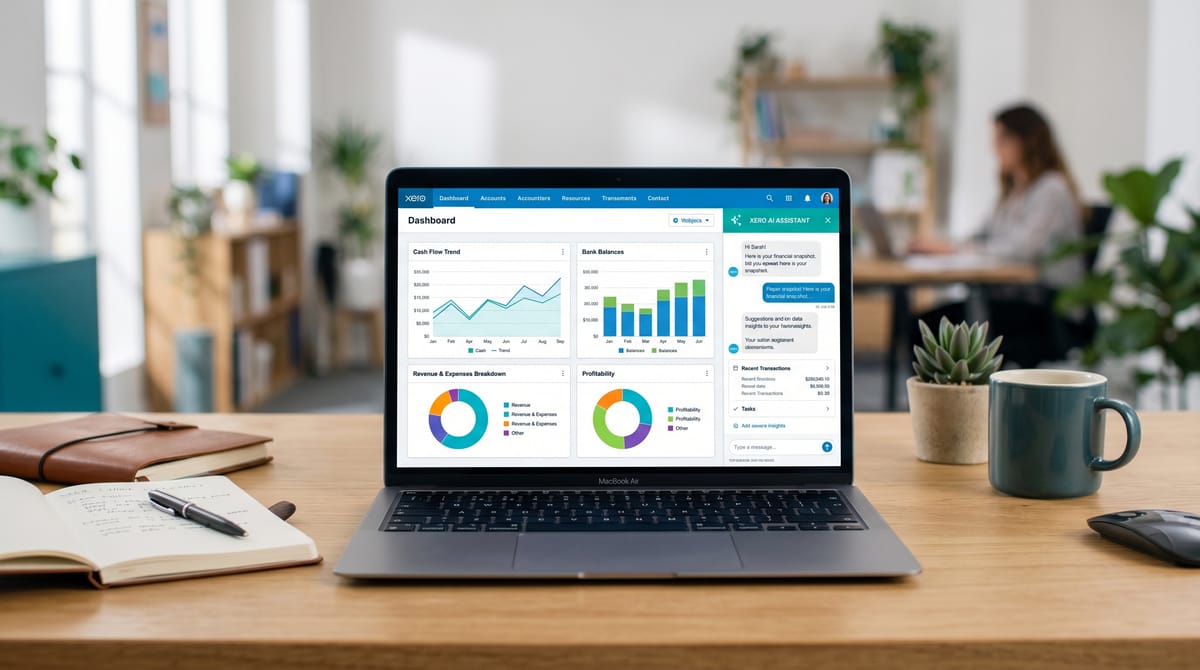
Xero has been quietly rolling out artificial intelligence features over the past year, and in 2026 the platform looks markedly different from the manual-heavy tool many bookkeepers first adopted. The headline is JAX — Just Ask Xero — but the Xero AI features extend well beyond a single chatbot. From auto-reconciliation that learns your patterns to cash flow forecasting that actually works, there are now seven AI-powered capabilities that can genuinely reduce the hours you spend on routine bookkeeping tasks. The question isn't whether these features are useful — it's whether you're actually using them yet. We rank Xero alongside other leading platforms in our roundup of the best AI tools for UK bookkeepers in 2026.
We've spent the past several months testing each of these features in real UK bookkeeping workflows. Some are transformative. Some are still rough around the edges. Here's an honest assessment of all seven, including which Xero plan you need, what's generally available versus still in beta, and practical tips for getting the most out of each one.
See Xero's AI features for yourself
Start Your Free 30-Day Xero Trial →
1. JAX Auto-Reconciliation (Grow Plan, Beta)
This is the feature that has UK bookkeepers most excited — and most nervous. JAX auto-reconciliation uses AI to automatically match bank transactions with invoices, bills, and receipts in your Xero account. Instead of manually clicking through each bank line, JAX analyses the transaction details, matches them against existing records, and reconciles them without your intervention.
How It Works
JAX examines each incoming bank transaction and compares it against outstanding invoices, bills, and historical patterns. When it finds a confident match, it reconciles the transaction automatically. Lower-confidence matches are flagged for your review rather than auto-processed. Over time, JAX learns from your corrections, so accuracy improves the longer you use it.
What You Need
JAX auto-reconciliation is currently available on the Xero Grow plan (£39/month) and remains in beta. (Not on Grow yet? Our Xero Ignite vs Xero Grow guide shows exactly which features each plan unlocks — JAX is the headline reason to be on Grow.) It rolled out initially from September 2025 and has been expanding to more UK accounts through early 2026. Not all Grow plan users have access yet — check your Xero dashboard for the JAX toggle.
Practical Tips
- Don't trust blindly. During the first month, review every auto-reconciled transaction. JAX is good, but it's not perfect — especially with similar-value transactions from the same supplier.
- Keep your invoice records clean. JAX matches better when invoices have clear reference numbers and accurate amounts. Sloppy data in equals sloppy matches out.
- Use the confidence threshold. You can adjust how confident JAX needs to be before auto-reconciling. Start conservative (high threshold) and loosen it as you build trust.
2. JAX Conversational AI Queries
Beyond reconciliation, JAX serves as a conversational AI interface for your Xero data. You can ask natural language questions like "What were my top 5 expenses last month?" or "How much did I spend on office supplies in Q1?" and get instant answers pulled directly from your books.
How It Works
JAX interprets your question, translates it into a data query, runs it against your Xero organisation's financial data, and returns the answer in plain English — often with a supporting chart or table. It understands date ranges, account names, contact names, and common financial concepts without requiring you to use specific terminology.
What You Need
Financial data exploration through JAX has been rolling out to UK users progressively. It's available across multiple plan tiers, though the depth of queries you can run may vary. Check for the JAX icon in your Xero navigation bar.
Practical Tips
- Use it for client meetings. Instead of preparing reports beforehand, pull up JAX during a client call and answer questions in real time. It's impressive and saves preparation time.
- Be specific with dates. "Last quarter" works, but "January to March 2026" gives more predictable results.
- Cross-check unusual answers. JAX occasionally misinterprets ambiguous questions. If an answer looks surprising, verify it against the actual report.
3. Automated Invoice Creation via Natural Language
This feature lets you create invoices by describing them in plain English rather than filling out form fields. Tell Xero something like "Create an invoice for ABC Ltd, £2,400 plus VAT for March consulting," and it generates a properly formatted invoice ready for review and sending.
How It Works
JAX parses your natural language input, identifies the client (from your Xero contacts), the amount, VAT treatment, description, and due date. It then pre-fills a draft invoice for you to review. If the client doesn't exist in your contacts, JAX will ask for clarification rather than guessing.
What You Need
This feature is available on plans that support invoicing. It works through JAX on supported Xero plans and is gradually rolling out to UK accounts.
Practical Tips
- Include the VAT treatment. Say "plus VAT" or "VAT inclusive" explicitly. If you don't, JAX uses your default VAT setting, which may not be what you want.
- Use existing contact names exactly. If your contact is listed as "ABC Limited" in Xero, saying "ABC Ltd" might create a new contact instead of matching the existing one.
- Always review before sending. The draft invoice is usually accurate, but checking the line items, tax treatment, and due date takes 10 seconds and prevents embarrassing errors.
4. Smart Bank Categorisation Suggestions
This isn't new to 2026, but Xero's AI-powered bank categorisation has improved significantly. When you're manually reconciling transactions, Xero suggests the most likely account category based on the supplier name, transaction amount, description, and your historical categorisation patterns.
How It Works
Each time you categorise a bank transaction, Xero's AI learns from that decision. Over time, it builds a profile of how you categorise transactions from each supplier, and pre-selects the most likely category for future transactions. The more consistently you categorise, the better the suggestions become.
What You Need
Available on all Xero plans, including Simple (£7/month). This is one of the most universally useful AI features because it works everywhere, regardless of your subscription tier — and all those plans are MTD for Income Tax compliant too.
Practical Tips
- Be consistent from the start. If you categorise "Tesco" as "Office Supplies" once and "Staff Welfare" the next time, you'll confuse the AI. Use bank rules to enforce consistency.
- Set up bank rules for recurring transactions. Direct debits, standing orders, and regular supplier payments should have bank rules that auto-categorise them. This trains the AI faster and reduces manual work.
- Review suggestions, don't just accept. Click-happy reconciliation leads to miscategorised transactions that compound over time.
5. Hubdoc Smart Document Capture (Free on All Plans)
Hubdoc, Xero's built-in document capture tool, uses AI to extract data from receipts, invoices, and bills. (For more capable alternatives, see our best AI receipt capture tools roundup.) — then pushes that data into Xero as draft transactions. It's included free on every Xero plan, making it a zero-cost addition to your bookkeeping workflow.
How It Works
Upload a document to Hubdoc (via mobile app, email, or web upload), and its AI extracts the supplier name, date, amount, and tax details. It then creates a draft bill or expense in Xero, attaching the original document image for audit purposes. Hubdoc also connects directly to some UK suppliers and banks to fetch documents automatically.
What You Need
Included free on all Xero plans. Activate it from the Hubdoc menu within your Xero account. No additional subscription required.
Practical Tips
- Use the email-in feature. Every Hubdoc account gets a unique email address. Set up auto-forwarding rules with suppliers who email invoices, and they'll appear in Xero automatically.
- Don't overlook the fetch feature. Hubdoc can log into certain supplier portals (utilities, telecoms) and download invoices automatically each month. Set this up once and never manually download a utility bill again.
- Compare with dedicated tools. Hubdoc is good for basic capture, but if you process high volumes, dedicated tools like Dext offer more advanced AI extraction and better accuracy on tricky documents.
6. Cash Flow AI Forecasting
Xero's AI-powered cash flow forecasting analyses your historical income and expenditure patterns, outstanding invoices, and upcoming bills to project your cash position over the coming weeks and months. For UK bookkeepers advising clients on financial planning, this is one of the most practically valuable Xero AI features available.
How It Works
The forecasting engine examines your bank balances, accounts receivable, accounts payable, and recurring transaction patterns. It then generates a forward-looking cash flow projection that shows when you're likely to be cash-rich and when things might get tight. The projections update automatically as new transactions come in and invoices get paid or created.
What You Need
Cash flow forecasting is available in Xero's short-term cash flow view on multiple plan tiers. The depth and range of forecasting may vary by plan. For the most detailed projections, the Grow plan provides the richest data set.
Practical Tips
- Keep your invoicing current. The forecast is only as good as the data feeding it. If you batch-create invoices once a month, the forecast will be inaccurate for the rest of the month.
- Use it for client advisory. Show clients their cash flow forecast in meetings. It transforms the conversation from backward-looking ("here's what happened") to forward-looking ("here's what's coming").
- Factor in seasonal patterns. The AI gets better at seasonal predictions after 12+ months of data. New accounts should take early forecasts with a pinch of salt.
7. Strategic Decision Support (JAX Combining Xero Data with Web Data)
The most forward-looking of Xero's AI features, JAX's strategic decision support combines your internal financial data with external market information to provide contextual business insights. This is still emerging and represents where Xero sees the future of AI-assisted bookkeeping.
How It Works
When you ask JAX a question like "How does my gross margin compare to industry averages?" or "Should I hire another employee based on my current revenue trend?", JAX draws on both your Xero financial data and publicly available benchmarking data. It synthesises these sources into a plain-English recommendation, often with caveats about the limitations of the analysis.
What You Need
This capability is still rolling out and evolving. It's primarily available on higher-tier Xero plans and may not be fully available in all UK accounts. Expect this to develop significantly through 2026 and beyond.
Practical Tips
- Use it as a starting point, not gospel. The external data JAX references may not perfectly match your client's specific industry niche or local market conditions.
- Frame questions carefully. Specific, bounded questions ("Can I afford a £2,000/month rent increase based on my last 6 months?") get much better answers than vague ones ("Is my business doing well?").
- Pair with your professional judgement. JAX provides data-driven starting points, but your expertise in the client's specific circumstances is what turns a data point into genuine advice.
Which Xero AI Features Are Worth the Upgrade?
| Feature | Plan Required | Status | Time Saved |
|---|---|---|---|
| JAX Auto-Reconciliation | Grow (£39) | Beta | High |
| JAX Conversational Queries | Rolling out across plans | Generally available | Medium |
| Natural Language Invoicing | Plans with invoicing | Rolling out | Low-Medium |
| Smart Bank Categorisation | All plans (from £7/mo) | Generally available | Medium |
| Hubdoc Document Capture | All plans (free) | Generally available | Medium-High |
| Cash Flow Forecasting | Multiple plans | Generally available | Medium |
| Strategic Decision Support | Higher-tier plans | Early rollout | Advisory value |
For most UK bookkeepers, the biggest immediate wins come from features available on all plans. Combine these with the right tools and you can build a complete AI bookkeeping stack under £60/month: smart bank categorisation and Hubdoc. These cost nothing extra and save meaningful time on every reconciliation session. If you're on the Grow plan or considering upgrading, JAX auto-reconciliation is the standout feature — despite being in beta, it's already capable of cutting reconciliation time substantially for well-organised books.
The conversational AI and strategic features are impressive demonstrations of where accounting software is heading. For a practical look at how to automate your bookkeeping workflow today, our step-by-step guide covers the full picture, but they're supplementary rather than essential today. Use them when they're helpful, but don't restructure your workflow around them until they're fully stable and generally available across all UK accounts.
Xero's built-in reporting covers the basics, but the management reporting layer — branded board packs, KPI dashboards, three-way cash flow forecasts — still requires a dedicated add-on. Fathom is the most widely used option among UK practices and launched its Commentary Writer AI feature in March 2026, which generates traceable narrative commentary directly in client report packs.
Related Reading
- Xero vs QuickBooks: Which Is Better for UK Sole Traders?
- How to Automate Your Bookkeeping with AI in 2026
- The Complete AI Bookkeeping Stack for Under £60/Month
Want to see how Xero's AI stacks up against QuickBooks and Sage? Read our full comparison of AI features across all three major UK accounting platforms.
Affiliate disclosure: Some links in this article are affiliate links. If you sign up through them, we may earn a commission at no extra cost to you. We only recommend tools we've genuinely assessed.