The Complete AI Bookkeeping Stack for UK Sole Traders (Under £60/Month)

The Complete AI Bookkeeping Stack for UK Sole Traders (Under £60/Month)
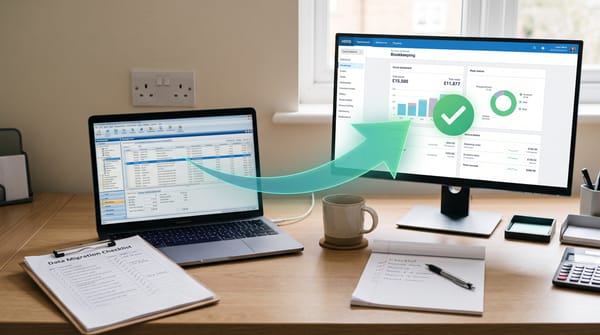
Building an efficient bookkeeping workflow doesn't require expensive enterprise software or a dedicated accounts team. With the right AI bookkeeping stack UK sole traders can automate receipt capture, categorisation, reconciliation, and reporting for less than £60 per month — and in some cases, for virtually nothing. The key is choosing tools that work together seamlessly, each handling a specific part of the workflow so nothing falls through the cracks.
In this guide, we'll walk through our recommended stack piece by piece, show you exactly how the tools connect, and provide a monthly workflow you can follow. We'll also cover budget alternatives that can bring your total cost down even further, depending on your banking situation and client volume.
Start building your stack with the best receipt capture tool
The Recommended AI Bookkeeping Stack: Three Tools, Total Control
Here's exactly what each layer of the stack does, what it costs, and why it earns its place:
| Tool | Role | Monthly Cost | Key Features | Integrations | Time Saved |
|---|---|---|---|---|---|
| Dext | Receipt capture & expense management | ~£25 | AI OCR, supplier rules, bank statements, mobile app | Xero, QuickBooks, Sage | 3-5 hrs/week |
| Xero Ignite | Accounting, invoicing, VAT & MTD | £18 | Bank feeds, smart categorisation, VAT returns, MTD ITSA | Dext, Stripe, GoCardless, 1000+ apps | 2-3 hrs/week |
| Google Drive | Document backup & storage | £0 | 15GB free, auto-sync, search, sharing | Dext (auto-export) | 30 min/week |
| Chaser (optional) | Automated invoice chasing | ~£50 | AI payment reminders, payment links, debtor tracking | Xero, QuickBooks | 1-2 hrs/week |
| Core Stack Total | ~£41/month | Full automation: capture → categorise → reconcile → file | 6-10 hrs/week | ||
Our recommended stack for UK sole traders is built around three core tools, each handling a distinct layer of the bookkeeping process:
- Dext — Receipt and invoice capture (AI-powered data extraction)
- Xero Ignite — Cloud accounting, bank reconciliation, and reporting
- Google Drive — Free document storage and backup
Total cost: approximately £41 per month (Dext Business at ~£25/month for up to 5 users plus Xero Ignite at £18/month). With Xero's current promotional pricing of 90% off for the first 6 months, your initial cost drops to just £26.80/month.
Layer 1: Dext for Receipt Capture (~£25/Month)
Dext is the front door of your bookkeeping stack. Its job is to turn paper receipts, emailed invoices, and photographed documents into clean, categorised digital data that flows automatically into your accounting software.
What Dext Does in Your Stack
- Captures receipts via mobile app, email forwarding, WhatsApp, or desktop upload
- Extracts key data using AI: supplier name, date, amount, VAT, payment method
- Auto-categorises expenses based on learned patterns
- Pushes data directly into Xero as draft bills or bank transactions
- Stores original images for HMRC compliance
The Dext Business plan at approximately £25 per month supports up to 5 users, making it suitable for a sole trader practice. (For a comprehensive look at the platform, see our Dext review.). You get Dext's full AI Assist features (launched March 2026), the Vault for document organisation, and unlimited receipt submissions. The 14-day free trial lets you set up the full integration before paying anything.
Layer 2: Xero Ignite for Accounting (£18/month)
Xero Ignite sits at the centre of your stack. This is where bank feeds come in, transactions get reconciled, invoices go out, VAT returns get calculated, and reports get generated.
Why Ignite, Not Simple?
Xero offers three plans: Simple at £7/month, Ignite at £18/month, and Grow at £39/month. (Not sure whether Xero is right for you? Read our Xero vs QuickBooks comparison.). We recommend Ignite for most sole traders because it removes the invoice and bill limits found on Simple. If you're sending more than 20 invoices per month or tracking bills from multiple suppliers, Simple's caps will frustrate you quickly. Ignite gives you unlimited invoices, unlimited bills, and multi-currency support.
With Xero's current promotional offer of 90% off for the first 6 months, Ignite drops to just £1.80/month initially — making the entire stack absurdly affordable during the onboarding period.
What Xero Does in Your Stack
- Receives categorised data from Dext automatically
- Connects to your bank via live bank feeds for real-time transaction matching
- Smart bank categorisation suggests categories based on previous patterns
- Handles VAT returns and MTD submissions directly to HMRC
- Generates profit and loss, balance sheet, and cash flow reports
- Includes Hubdoc free on all plans for additional document capture
Layer 3: Google Drive for Storage (Free)
While Dext stores receipt images and Xero holds your financial data, Google Drive serves as your free backup layer and general document storage. Use it for client contracts, correspondence, tax documents, and anything that doesn't fit neatly into Dext or Xero. With 15GB free, you'll have ample space for years of sole trader documents.
How the Stack Connects: Step-by-Step Setup
Getting these three tools working together takes about 45 minutes. Here's the process:
Step 1: Set up Xero (15 minutes). Create your Xero account, choose Ignite, connect your business bank account via bank feeds, and configure your chart of accounts. Set your VAT scheme and financial year end.
Step 2: Set up Dext and connect to Xero (15 minutes). Create your Dext account, then go to Connections and link your Xero organisation. Map Dext's expense categories to your Xero chart of accounts. Enable auto-publish so extracted receipts flow into Xero without manual intervention.
Step 3: Configure your capture methods (10 minutes). Download the Dext mobile app. Set up your unique Dext email address for forwarding supplier invoices. Optionally enable WhatsApp capture. Share these details with anyone who submits expenses.
Step 4: Set up Google Drive folders (5 minutes). Create a simple folder structure: Client Name > Year > Contracts, Correspondence, Tax Documents. This gives you a fallback for anything outside the Dext/Xero workflow.
Your Monthly AI Bookkeeping Workflow
Once the stack is live, here's what your monthly workflow looks like:
Week 1-4 (Ongoing): Capture
Photograph receipts as they come in using the Dext app. Forward supplier invoices to your Dext email. Dext's AI extracts the data and pushes it into Xero automatically. Time required: 2-3 minutes per day.
Week 4: Categorise and Reconcile
Log into Xero and review your bank feed. Match incoming Dext transactions against bank statement lines. Use Xero's smart categorisation and AI features to speed things up. Handle any unmatched transactions manually. Time required: 1-2 hours per month for a typical sole trader.
Month End: Report
Run your profit and loss report in Xero. Check your VAT position. Generate any reports your accountant needs. File your quarterly MTD update if required. Time required: 30-60 minutes.
Total monthly time commitment: approximately 3-5 hours, down from the 15-20 hours that manual bookkeeping typically demands.
Alternative Stacks for Different Budgets
The Budget Stack: Receipt Bot + Xero Simple (~£17/Month)
If even £41/month feels steep, consider swapping Dext for Receipt Bot and dropping to Xero Simple. Receipt Bot's credit-based pricing means you can process documents for as little as £10/month. See our receipt capture tools comparison for the full range of options, and Xero Simple at £7/month handles basic invoicing and bank reconciliation. The trade-off is fewer AI features and invoice limits on Xero Simple, but for a sole trader with straightforward finances, this stack gets the job done at a fraction of the cost.
The Free Stack: FreeAgent with NatWest/RBS (£0/Month)
If you bank with NatWest or RBS, FreeAgent is available completely free. FreeAgent is an all-in-one accounting platform that includes receipt capture, invoicing, bank reconciliation, VAT returns, and MTD submissions. It normally costs £19/month for sole traders, but the NatWest/RBS partnership makes it genuinely free with all features included. If you don't bank with NatWest, FreeAgent at £19/month is still excellent value as a single-tool solution.
The QuickBooks Alternative: Receipt Bot + QuickBooks Simple Start
Prefer QuickBooks over Xero? Pair Receipt Bot with QuickBooks Simple Start (from £10/month) for a capable stack. QuickBooks' own receipt capture is decent but less powerful than dedicated tools, so Receipt Bot fills that gap nicely.
Stack Comparison at a Glance
| Stack | Monthly Cost | Best For |
|---|---|---|
| Dext + Xero Ignite | ~£41/month | Serious sole traders wanting full AI automation |
| Receipt Bot + Xero Simple | ~£17/month | Budget-conscious with simple finances |
| FreeAgent (NatWest/RBS) | £0/month | NatWest/RBS customers wanting zero cost |
| FreeAgent (standalone) | £19/month | All-in-one simplicity without multi-tool setup |
A Note on Kick
You may have seen Kick mentioned as an AI bookkeeping tool. While it's an interesting platform, it's currently US-focused and not MTD-compatible. For UK sole traders who need to file quarterly updates with HMRC, Kick isn't a viable option in 2026. We'll revisit this if they launch UK support.
Getting Started: Your First Week
Here's a practical action plan for your first week with the recommended stack:
Day 1: Sign up for Xero Ignite (grab the 80% promotional discount) and connect your bank account.
Day 2: Sign up for Dext's 14-day trial, connect it to Xero, and map your expense categories.
Day 3: Download the Dext app and photograph every receipt from the past week. Watch them appear in Xero within minutes.
Day 4-5: Reconcile the imported transactions in Xero. Tweak any categories that Dext got wrong (it learns from corrections).
Day 6-7: Set up your Google Drive folder structure. Forward your first batch of supplier invoices to Dext by email.
By the end of week one, you'll have a fully functioning AI bookkeeping stack running for under £60/month. Every tool in this stack pays for itself within days — with the first six months likely costing significantly less thanks to promotional pricing. That's a professional-grade setup that would have cost hundreds of pounds in software alone just a few years ago.
Wondering whether these software costs are really cheaper than a human bookkeeper? The 2026 UK bookkeeper cost vs AI tools comparison gives you exact hourly rates and monthly retainer figures alongside software pricing.
Related Reading
- Dext Review 2026: Is It Worth the Price for UK Bookkeepers?
- Xero vs QuickBooks: Which Is Better for UK Sole Traders?
- 5 AI Tools That Pay for Themselves in a Week
- How Much Does a UK Bookkeeper Cost vs AI Tools? (2026)
If you're managing a small practice rather than just your own books, you'll also need a workflow layer on top of this stack. Our roundup of best practice management software for UK bookkeepers (2026) covers TaxDome, Karbon, AccountancyManager, Senta, Ignition, and Pixie — with UK GBP pricing and which suits each practice size.
If you're specifically trying to automate the transaction categorisation layer — daily bank feed coding and reconciliation prep inside Xero or QuickBooks — our Booke AI UK review covers the only tool in this category with a GBP pricing page and native Xero/QuickBooks integration.
Affiliate disclosure: Some links in this article are affiliate links. If you sign up through them, we may earn a commission at no extra cost to you. We only recommend tools we've genuinely assessed.
If your bookkeeping stack includes regular driving for work, mileage tracking is worth adding. Our comparison of the best mileage tracking apps for UK sole traders covers how Dext mileage integrates with the rest of your stack — and which standalone apps work if you want to keep it separate.
Multi-client practices finding Dext's per-client pricing adds up as they grow should also read our Tofu AI Receipt Capture UK review — a flat-rate alternative with self-learning AI that learns from your existing general ledger.