10 Bookkeeping Mistakes UK Sole Traders Make (And How AI Fixes Them)
10 Bookkeeping Mistakes UK Sole Traders Make (And How AI Fixes Them)
Last updated: August 2026
Most sole traders don't set out to get their books wrong — it happens through habit, distraction, and software that doesn't push back when you make an error. HMRC collected an extra £27 million in 2024 just from disallowed personal expenses that slipped through self-assessment returns. That number will climb under Making Tax Digital, where quarterly reporting means four opportunities a year to compound small errors into expensive ones. Here are the ten most common bookkeeping mistakes UK sole traders make — and the AI tools that have, quietly, made most of them avoidable.
The good news: the majority of these mistakes are now solved problems. You just need the right software running in the background. Before we get into the list, if lost receipts are your weak spot, there's one tool that addresses it directly — and it takes about ten minutes to set up.
Stop losing receipts — Dext captures and categorises them automatically
1. Mixing Personal and Business Finances
This is the bookkeeping equivalent of never separating your laundry. It seems harmless until you're trying to explain to HMRC why a Costa Coffee receipt from your anniversary dinner is in your business expenses. HMRC's new automated compliance checks — introduced as part of their digital compliance programme — now cross-reference business expenses against personal spending patterns. Personal expenses that slip through are disallowed, and if the errors look systematic, an investigation follows.
The fix is structural, not technological: open a dedicated business current account. Several UK banks offer free business accounts (Mettle, Tide, Starling) with direct feeds into accounting software. Once your business transactions sit in their own account, Xero and QuickBooks pull the feed nightly and categorise transactions using AI trained on millions of similar businesses. You're not eliminating human judgement — you're giving yourself clean data to apply it to.
2. Losing Receipts (and Not Knowing You Have To Keep Them)
Under Section 12B of the Taxes Management Act 1970, you're required to keep records for at least five years after the 31 January self-assessment deadline. That means a receipt from January 2024 must survive until at least January 2030. HMRC can issue a penalty of up to £3,000 per tax year for inadequate records — even if your tax calculation turns out to be correct.
AI receipt capture tools have made this one of the easiest mistakes to eliminate. Dext lets you photograph receipts the moment you get them — at a restaurant, a builder's merchant, a petrol station. It reads the supplier, date, amount, and VAT using OCR and machine learning, then pushes the coded transaction directly into Xero or QuickBooks. The paper receipt can go in the bin. Receipt Bot does the same at a lower price point (from £6.30/month) if your volumes are modest. Note: Xero shut down its built-in Hubdoc tool on 8 May 2026 — if you relied on that, you now need a standalone capture app.
3. The January Scramble — Twelve Months of Chaos Crammed Into a Weekend
Every UK accountant has a story about a client who turns up in late January with a carrier bag of receipts. It's been the defining cliché of self-assessment season for two decades. Under MTD for Income Tax Self Assessment, which became mandatory in April 2026 for sole traders earning over £50,000 (and will extend to those over £30,000 from April 2027), it no longer works. Your first quarterly submission covers April to June 2026, with a deadline of 7 August 2026. There is no carrier-bag option.
The practical answer is to keep records as you go. Xero's Justify AI (JAX) feature continuously matches bank transactions to receipts and bills in the background, flagging anomalies as they occur rather than at year-end. Users in the beta reported saving 4–7 hours per week on reconciliation. Combined with automatic bank feeds, the month-end close shrinks from a painful afternoon to a ten-minute review. If you're not sure which MTD-compliant software to use, our guide to HMRC-approved MTD software covers the main options and their quarterly reporting workflows.
4. Miscategorising Transactions
The difference between "office supplies" and "entertaining clients" costs you money. Client entertainment is disallowed for corporation tax purposes and handled differently for income tax; office supplies are fully deductible. Getting categories wrong doesn't just mess up your P&L — it distorts your tax position in ways that may not surface until HMRC queries a return two years later.
Manual categorisation carries a 1–4% error rate across the industry. Xero's JAX uses a three-signal approach — transaction description, merchant category code, and your historical behaviour — to suggest categories. QuickBooks applies similar logic and flags VAT-relevant categories for review. Dext's AI Assist, updated in March 2026, now applies supplier-level category rules across your entire history when it learns a correction — so fixing one Costa Coffee receipt retroactively corrects all of them.
5. Claiming the Wrong Mileage Rate
As of 6 April 2026, HMRC's approved mileage allowance payment (AMAP) rate increased from 45p to 55p per mile for the first 10,000 business miles in a tax year. This change was announced on 21 May 2026. That's a £1,000 difference if you drive 10,000 miles annually — money you're leaving on the table if your spreadsheet still uses the old rate. After 10,000 miles, the rate drops to 25p/mile.
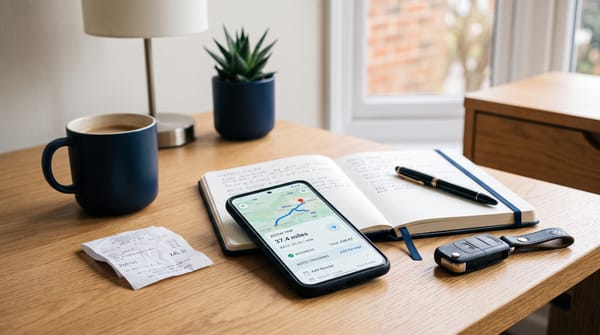
QuickBooks and FreeAgent both allow GPS-tracked mileage logging via their mobile apps, applying the current approved rate automatically. QuickBooks Simple Start (£12/month) includes mileage tracking. FreeAgent — which is free for NatWest, RBS, and Mettle business account holders — includes mileage tracking at no additional cost. If you're not logging mileage digitally, you're either underclaiming or carrying the risk of an indefensible claim if HMRC asks for your logbook.
6. Skipping Bank Reconciliation
Bank reconciliation is the process of matching your bookkeeping records to your actual bank statement. When you skip it — even for a month — you accumulate unexplained differences that become harder to untangle the longer you leave them. A £47.50 difference in March is a coffee and a duplicate transaction. The same difference discovered in October could be a fraudulent payment, a missed refund, or a data entry error that's affected three subsequent calculations.
Modern accounting software has made reconciliation almost frictionless. Xero pulls your bank feed automatically and presents unmatched transactions in a single queue. JAX handles the straightforward matches in the background; you review only the exceptions. For sole traders using a properly configured AI bookkeeping stack, reconciliation genuinely can take under ten minutes a week.
7. Ignoring Cash Flow Until It's a Problem
Late payments are a structural feature of UK small business life. According to QuickBooks' 2025 late payments report, 62% of UK small businesses had unpaid invoices at any given time, with an average of £21,000 outstanding. For a sole trader with modest working capital, one slow-paying client can make payroll — or the tax bill — genuinely difficult.
Xero's cash flow forecasting updates automatically as invoices are raised and paid, projecting your bank balance 30 and 90 days forward. QuickBooks does the same with their Cash Flow Planner. Several AI tools now chase invoices automatically: Chaser and Satago both integrate with Xero and QuickBooks to send polite, escalating reminders without requiring manual intervention. Getting paid two weeks earlier — consistently — is worth more than most software subscriptions cost.
8. Underclaiming Allowable Expenses
HMRC's digital compliance work has historically focused on overclaiming. The less-reported problem is underclaiming — sole traders who don't know they can deduct home office costs, professional subscriptions, training, software licences, or a proportion of their mobile phone bill. HMRC won't volunteer the information; they'll simply collect more tax than you legally owe.
AI-powered tools help here in two ways. First, they surface deduction prompts during categorisation — Xero and QuickBooks flag uncategorised transactions that look like potential business expenses rather than leaving them to sit unrecorded. Second, tools like FreeAgent include a built-in expenses guide calibrated to UK sole trader rules. Our article on automating bookkeeping with AI covers how to set up expense rules that catch these consistently.
9. Using the Wrong Accounting Method
From April 2024, the default accounting method for sole traders changed to cash basis — meaning you record income when it's received and expenses when they're paid. Previously, the default was accruals (traditional) accounting, where you record transactions when invoiced regardless of payment date. If you set up your software before April 2024 and haven't checked, it's worth confirming which method you're using — and whether it's the right one for your circumstances.
For most sole traders with straightforward income, cash basis is simpler and usually produces a lower tax bill during growth phases. But if you have significant stock, high levels of business debt, or complex timing differences between invoicing and payment, accruals may be more appropriate. Xero, QuickBooks, and FreeAgent all support both methods and can be configured correctly from setup. If in doubt, ask your accountant — this is one of the few areas where getting it wrong is genuinely difficult to unwind mid-year.
10. Ignoring MTD Entirely Because "It Doesn't Apply Yet"
If your self-employment or property income exceeded £50,000 in 2024–25, MTD ITSA applies to you from 6 April 2026. The threshold drops to £30,000 from April 2027. Under the new points-based penalty system, missing a quarterly submission earns one penalty point; accumulate four points and a £200 fine follows automatically. That's four missed deadlines — not four missed years. The deadlines are quarterly, and they start in August 2026.
Spreadsheets are not MTD-compliant, even with bridging software. You need HMRC-recognised software. The big three — Xero, QuickBooks, and FreeAgent — are all compliant. FreeAgent is worth highlighting specifically: it's permanently free for NatWest, Royal Bank of Scotland, and Mettle business account holders, which makes it the lowest-cost entry point for MTD compliance. Our full guide to HMRC-approved MTD software lists every compliant option with current pricing.
The Fastest Wins: Where to Start
If you're reading this list and recognising yourself in several items, the practical order is:
- Open a dedicated business bank account — Mettle and Tide are free and take fifteen minutes to set up. This alone eliminates mistakes 1 and 6.
- Install a receipt capture app — Dext (from £22/month) or Receipt Bot (from £6.30/month) addresses mistake 2 immediately.
- Choose MTD-compliant accounting software — Xero (from £7/month), QuickBooks (from £10/month), or FreeAgent (free with Mettle). Connects your bank feed, handles reconciliation, and keeps you compliant for quarterly reporting.
- Set up GPS mileage tracking — thirty seconds per journey, saves hours at year-end.
The full AI tools comparison for UK bookkeepers covers pricing and feature breakdowns side-by-side if you're still deciding which software combination makes sense for your practice size.
Related Reading
- How to Automate Your Bookkeeping with AI in 2026: A Practical Guide for UK Sole Traders
- MTD for Income Tax Is Live: Which Software Is HMRC-Approved? (2026 Guide)
- The Complete AI Bookkeeping Stack for UK Sole Traders (Under £60/Month)
Affiliate disclosure: Some links in this article are affiliate links. If you sign up through them, we may earn a commission at no extra cost to you. We only recommend tools we've genuinely assessed.