Dext vs Xero UK 2026: Do You Need Both Tools, or Can One Replace the Other?

Dext vs Xero UK 2026: Do You Need Both Tools, or Can One Replace the Other?
Last updated: September 2026
It is the question UK bookkeepers keep asking, and the answer depends entirely on what you are using each tool for. Dext and Xero do not compete. They do not do the same thing. But because both sit inside a bookkeeper's workflow and both cost money every month, it is easy to wonder whether you can simplify and cut one. This guide explains exactly what each tool does, what it costs in 2026, and when you genuinely need both — versus when Xero's built-in Hubdoc is sufficient.
Short answer: for most practices handling more than 30 receipts per client per month, you need both. For smaller volumes, Xero alone can cover the document capture layer adequately. The economics shift as client count rises, and Dext's pricing structure changes the calculation depending on how many clients you manage.
Already using Xero and evaluating whether to add Dext? Try Dext free for 14 days — no credit card required.
TL;DR
- Dext captures and extracts document data; Xero records, reconciles, and reports. They are designed to chain together, not to replace each other.
- Xero's built-in Hubdoc achieves around 81% OCR accuracy versus Dext's 94% — adequate for low-volume clients, not for a busy practice.
- At 10 clients, Dext adds approximately £165/month to your stack on top of Xero. At 50 clients, approximately £465/month. Whether that cost is justified depends entirely on document volume and how much correction time you are currently absorbing.
What Does Dext Actually Do?
Dext (formerly Receipt Bank) is a document capture and data extraction platform. Its job is to receive the raw financial documents your clients generate — invoices, receipts, bank statements, supplier bills — and turn them into structured, accountancy-ready data. That data then flows into your accounting software, whether Xero, QuickBooks, or Sage.
What Dext contributes to a UK bookkeeping workflow:
- Document ingestion: clients submit documents by email, mobile app photo, or drag-and-drop upload. Dext accepts everything from sharp scanned PDFs to smartphone photos taken in poor lighting.
- OCR and data extraction: Dext extracts supplier name, date, total, line items, and VAT classification. Its OCR accuracy is documented at approximately 94% for UK receipts — consistently higher than competing tools at volume.
- Auto-coding: Dext learns from your previous coding decisions and applies account codes, VAT rates, and tracking categories automatically. Rules can be set per supplier, giving precise control over how recurring transactions are classified.
- Publishing to Xero: once reviewed, documents publish directly to Xero as bills or expenses — no CSV export, no manual re-keying, no copy-and-paste. The original document image attaches to each transaction in Xero automatically.
Dext does not handle bank reconciliation, VAT returns, MTD quarterly submissions, payroll, or financial reporting. It is the upstream data-collection layer that feeds your accounting platform. For the full step-by-step process of connecting the two systems, see our Dext and Xero setup guide for UK practices.
What Does Xero Actually Do?
Xero is cloud accounting software. It handles the ledger, bank feeds, reconciliation, reporting, VAT returns, and Making Tax Digital submissions. For UK sole traders and small practices, it is where the numbers live once they have been collected and coded.
Key Xero capabilities for UK users:
- Bank feeds and reconciliation: live connections to UK bank accounts, with bank rules and suggested matches to pre-reconcile transactions against your coded bills and invoices.
- VAT returns: automated VAT calculations from coded transactions, with direct HMRC submission via Making Tax Digital for VAT.
- MTD for Income Tax: all current Xero plans are MTD for Income Tax ready, supporting quarterly updates to HMRC from April 2026 for sole traders above the £50,000 threshold.
- Reporting: profit and loss, balance sheet, aged debtors and creditors, cash flow statements, custom reports. The reporting layer is considerably more capable than anything Dext provides.
- Hubdoc: included free across all Xero plans, providing basic receipt and document capture capability without additional cost.
Xero does not specialise in high-volume document extraction. It relies on bank feeds and manual entry — or a connected tool like Dext — for the transaction-level data it needs to function as an accounting platform. For a comparison of Xero's UK plans and the September 2026 pricing increases, see our Xero Ignite vs Grow plan breakdown.
Do Dext and Xero Do the Same Thing?
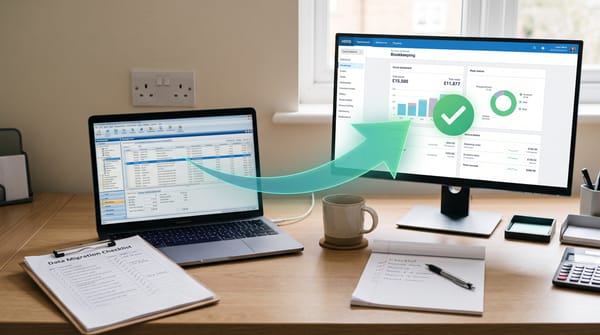
No. They operate at different stages of the bookkeeping workflow and are designed to be used together. The confusion arises because both handle "documents" in some form — but the similarity ends there. Dext is the collection and extraction layer; Xero is the accounting and reporting layer.
| Function | Dext | Xero |
|---|---|---|
| Receipt and invoice capture | ✓ Core function | ⚠ Via Hubdoc (limited accuracy) |
| Line-item extraction | ✓ Yes | ✗ Hubdoc does not extract line items |
| Auto-coding by supplier | ✓ Rules and AI learning | ✗ Manual coding or bank rules only |
| Bank reconciliation | ✗ Not a function | ✓ Core function |
| VAT returns and HMRC submission | ✗ Not a function | ✓ Direct submission all plans |
| MTD ITSA quarterly updates | ⚠ Dext Solo only (direct to HMRC) | ✓ All plans, MTD-ready |
| Financial reporting (P&L, BS) | ✗ Not a function | ✓ Full reporting suite |
| Client document collection portal | ✓ Mobile app, email forwarding | ⚠ Limited |
Xero's Built-in Hubdoc: When Is It Good Enough?
Hubdoc is included free with every Xero plan. It captures bills, receipts, and bank statements, and it publishes the extracted data directly into Xero. For clients who generate a small, consistent volume of straightforward documents, it is a legitimate alternative to paying for Dext.
The limitation is accuracy and depth. Hubdoc's OCR accuracy is approximately 81% versus Dext's 94%. At 30 receipts per month, an 81% accuracy rate means roughly 6 items requiring manual correction every month — an acceptable overhead for a sole trader managing their own books. At 200 receipts per month — common for a trades client with weekly material purchases — that is 38 monthly corrections for Hubdoc versus approximately 12 for Dext. The difference is significant across a multi-client practice, and it compounds when Hubdoc also lacks:
- Line-item extraction — it reads the total and supplier name, not individual line items with separate VAT rates
- Granular supplier-level coding rules — Dext's rules engine is considerably more detailed
- Bank statement extraction — Hubdoc handles bills and receipts but cannot parse PDF bank statements
Practitioner consensus on UK accountancy forums (AccountingWEB, 2026) is consistent: Hubdoc is sufficient for a sole trader managing their own books with fewer than 20–30 receipts per month. For a practice managing multiple clients — particularly those in construction, retail, or trades with high weekly receipt volumes — Dext produces fewer corrections, faster throughput, and a cleaner document trail for MTD compliance purposes.
The Dext + Xero Workflow in Practice
Take Sarah, a sole practitioner in Bristol managing 12 clients. Her typical workflow using Dext and Xero together runs as follows:
- Client submits document: a trades client photographs a supplier invoice on the Dext mobile app. It uploads immediately to Sarah's Dext practice account.
- Dext extracts data: within seconds, Dext reads the supplier name, invoice date, net total, VAT amount, and individual line items. It recognises the supplier from previous coding and applies the existing account code and VAT rate automatically.
- Sarah reviews: she scans the inbox, corrects any extraction errors, and approves the batch. For a typical week's receipts across 12 clients, this takes around 15–20 minutes.
- Dext publishes to Xero: approved items push to Xero as draft bills, ready for reconciliation. The original document image attaches to each Xero transaction as evidence.
- Xero reconciliation: Xero's bank feed pre-matches the published bills against incoming bank transactions. Sarah confirms matches in bulk — typically a few minutes per client per week.
- Quarterly MTD submission: at the end of each quarter, Xero submits directly to HMRC. The Dext document archive provides the supporting evidence trail behind each transaction.
The Dext–Xero App Store integration holds a 4.81 out of 5 rating from 1,107 reviews as of May 2026 — consistently the highest-rated receipt capture integration in the Xero ecosystem. UK firms including DJH Accountants are running 300–400 clients through Dext Solo and Xero simultaneously. For context on how this fits into a full practice technology stack, see our complete AI bookkeeping stack guide for UK practices.
Also read: Xero API Changes 2026: What UK Bookkeepers Need to Know
2026 Pricing: What You Actually Pay for Both
Dext UK pricing 2026
Dext does not publicly display practice plan pricing. Published approximate figures for UK practices:
| Plan / scale | Approx. monthly cost (ex VAT) | Notes |
|---|---|---|
| Dext Solo (self-employed) | £2.50/client, minimum 5 clients (£12.50/mo) | MTD ITSA direct submission included |
| Dext Prepare — 5 clients | ~£90/month | Practice platform, quote required |
| Dext Prepare — 10 clients | ~£165/month | Practice platform, quote required |
| Dext Prepare — 50 clients | ~£465/month | Higher tier, quote required |
Dext does not publish a public pricing page for practice plans. For a full breakdown including what each tier includes and how to negotiate, see our dedicated Dext UK pricing guide. At higher client counts, pricing is negotiable — always request a quote directly from a Dext account manager rather than using any published estimate as a firm figure.
Xero UK pricing 2026
Xero publishes pricing transparently. The September 2026 increases are already confirmed:
| Plan | Current price (to 31 Aug 2026) | From 1 September 2026 | Hubdoc |
|---|---|---|---|
| Ignite | £16/month | £18/month | ✓ Included free |
| Grow | £37/month | £39/month | ✓ Included free |
| Comprehensive | £50/month | £55/month | ✓ Included free |
| Ultimate | £65/month | £70/month | ✓ Included free |
Source: xero.com/uk/pricing-plans/. These are per-subscription prices for individuals. Xero partner/accountant pricing for practice-managed subscriptions operates differently and varies by firm agreement. Note also that multi-org discounts are being removed from September 2026.
Combined monthly cost: worked examples
| Practice size | Xero only (Grow plan, per client) | Dext + Xero (combined approx.) |
|---|---|---|
| 5 clients | ~£185/month | ~£275/month (+£90 for Dext) |
| 10 clients | ~£370/month | ~£535/month (+£165 for Dext) |
| 50 clients | ~£1,850/month | ~£2,315/month (+£465 for Dext) |
These figures are approximations. Xero partner pricing is negotiated separately, and Dext requires a direct quote. Use them for budgeting purposes only.
MTD ITSA: What Each Tool Does
All current Xero plans support MTD for Income Tax quarterly updates from April 2026. Xero handles the HMRC-facing compliance layer directly for both VAT and income tax quarterly submissions.
Dext's MTD position is more nuanced. Dext Solo (the self-employed product at £2.50/client/month minimum) submits MTD ITSA quarterly updates to HMRC directly without needing a separate accounting platform. Dext Prepare (the practice tool) feeds data into your accounting software — which then handles MTD submissions. AccountingWEB practitioners mid-2026 have noted that Dext's own communications on whether Prepare alone covers MTD ITSA are not consistently clear. The operationally safe position: treat Dext Prepare as the capture and coding layer, and Xero as the MTD-filing layer. That is the pairing most UK practices are already running.
For a full breakdown of which tools are HMRC-recognised for MTD ITSA quarterly submissions — including bridging software options — see our Best MTD Software guide for UK sole traders.
The Right Pick For...
- A 10-client practice currently on Xero and Hubdoc: worth a serious evaluation of Dext's 14-day trial. Run it against your highest-volume client for a month. Measure actual corrections against your Hubdoc baseline. The additional ~£165/month is justified if it saves more than 4–5 hours of staff time per month at current rates.
- A sole trader managing their own books with under 30 receipts per month: Xero with Hubdoc is likely sufficient. Add Dext only if you are frequently correcting extraction errors or processing documents with multiple VAT lines.
- A practice with trades or construction clients: Dext. The accuracy advantage at high volume is significant, and the mobile submission workflow suits clients who generate receipts on-site daily.
- Anyone evaluating Dext as a replacement for Xero: not the right comparison. Dext does not replace Xero — it feeds data into it. You need both for a complete UK bookkeeping and MTD-compliant workflow.
- A sole trader wanting a lower-cost alternative to Dext for receipt capture: consider Receipt Bot, which integrates with Xero and is priced at 20% of the first year's subscription via this link.
Frequently Asked Questions
Does Dext replace Xero?
No. Dext captures and codes documents; Xero records transactions, handles bank reconciliation, VAT returns, and MTD ITSA filings. They are designed to work in sequence — Dext upstream, Xero downstream. You need both for a complete UK bookkeeping workflow.
Does Xero replace Dext?
Partially, via Hubdoc — included free with all Xero plans. Hubdoc handles basic receipt and invoice capture at around 81% OCR accuracy, with no line-item extraction. For practices with low document volumes (under 20–30 receipts per client per month), Hubdoc is adequate. For anything above that threshold, Dext's 94% accuracy and granular coding rules materially reduce correction time.
Do Dext and Xero work well together?
Yes. The Dext–Xero integration carries a 4.81 out of 5 rating on the Xero App Store from 1,107 reviews (May 2026). Documents processed and approved in Dext publish to Xero within seconds. No manual data transfer or CSV export is required.
What are the Xero prices from September 2026?
Can Dext handle MTD ITSA submissions on its own?
Dext Solo (the self-employed product, from £12.50/month minimum) submits quarterly updates directly to HMRC. Dext Prepare, the practice platform, feeds data into your accounting software — Xero then handles the MTD submissions. If you run a multi-client practice on Dext Prepare, you still need Xero or another MTD-recognised platform to cover the filing layer.
Related Reading
- How to Set Up Dext and Xero Together: A Step-by-Step UK Guide — the practical walkthrough for connecting the two systems in a UK practice
- Dext Pricing UK 2026: What You Actually Pay Per Client Per Month — the full cost breakdown for practice plans, including what triggers a price increase
- Best MTD Software for UK Sole Traders (2026) — full comparison of HMRC-recognised tools for Making Tax Digital quarterly submissions
Affiliate disclosure: Some links in this article are affiliate links. If you sign up through them, we may earn a commission at no extra cost to you. We only recommend tools we've genuinely assessed.