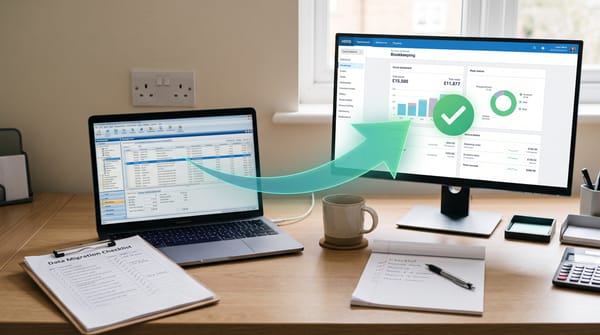
Best Business Bank Account for UK Sole Traders in 2026
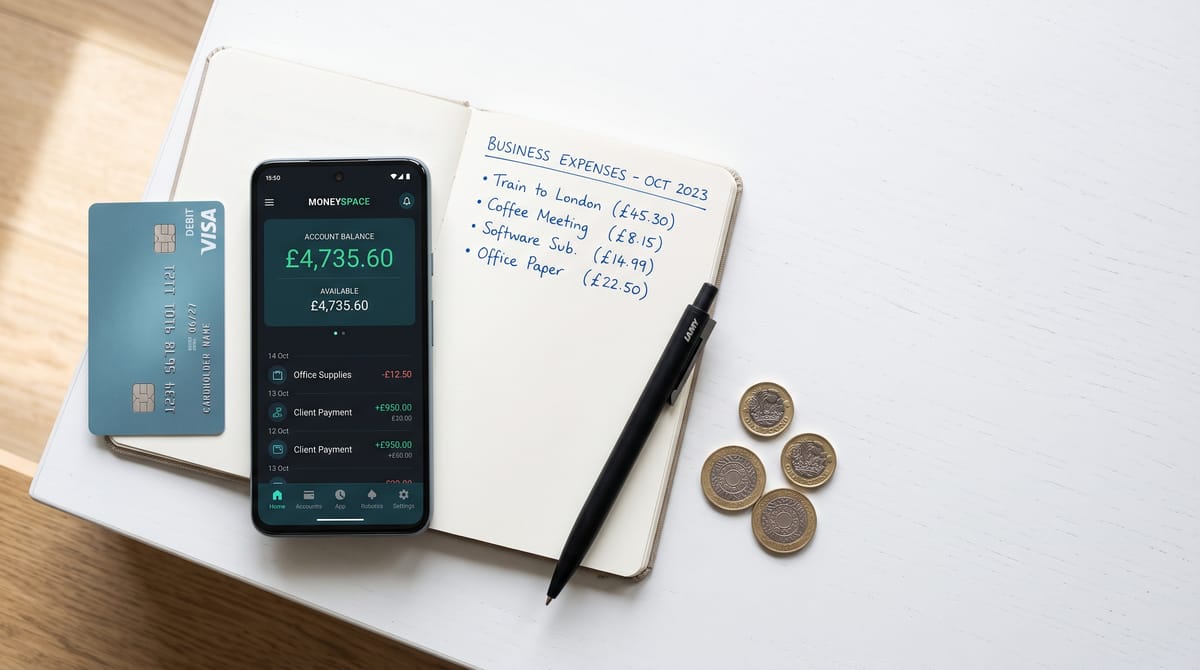
Best Business Bank Account for UK Sole Traders (2026)
Picking a business bank account used to be simple: walk into whichever branch was nearest and fill in some forms. In 2026, the choice is more interesting — and more consequential. The account you open determines how your bookkeeping flows, whether you get free accounting software, how quickly you can submit to HMRC, and how much you pay each month. Get it right and you can cut your admin time substantially. Get it wrong and you're reconciling transactions from a personal account until January panics you into doing something about it.
This guide compares the five accounts UK sole traders are actually choosing in 2026: Starling, Mettle, Monzo, Tide, and Revolut. We've checked current pricing directly from each provider's site, looked at real-world user feedback, and considered how each account slots into an MTD-compliant bookkeeping workflow. There are no affiliate links to any of the banks below — our recommendations are based on what each account actually does for a sole trader, not what earns us the most commission.
Whichever bank you choose, you'll still need receipt capture.
Dext scans, extracts and publishes your receipts to Xero, QuickBooks and Sage automatically.
Try Dext Free →TL;DR — Best business bank accounts for UK sole traders (2026)
- Best all-round (free): Starling — no fees, FSCS-protected, built-in MTD tool, connects to every major accounting package
- Best if you want free accounting software: Mettle — opens a free FreeAgent account (worth up to £150/year) as long as you make one transaction per month
- Best app experience with room to grow: Monzo Pro (£9/month) — invoicing, tax pots, accounting integrations, and the best-rated service quality in Britain (August 2026)
- Best for businesses with heavier banking needs: Tide Smart (£12.49/month) — 30 free monthly transfers, Xero Connector, 2.5% AER savings
- Best for international transactions: Revolut — 25+ currencies at interbank rates, though it is not a traditional FSCS-protected bank in the same sense as the others
How we compared these accounts
We looked at five factors that matter most to UK sole traders: monthly fees and transaction costs, FSCS protection status, built-in Making Tax Digital support, accounting software integration, and practical limits (cash deposit caps, transfer limits, and similar friction points). Pricing figures are taken from each provider's live pricing pages in September 2026 — these can change, so check before you open an account.
| Account | Monthly fee | FSCS protected | Free transfers | MTD tool | Accounting links | Best for |
|---|---|---|---|---|---|---|
| Starling | Free | ✅ Yes (£120K) | Unlimited | ✅ Built-in | Xero, QBO, FreeAgent | Best all-round free account |
| Mettle | Free | ✅ Yes (£120K) | Unlimited | ✅ Via FreeAgent | FreeAgent (free), Xero, QBO | Free accounting software |
| Monzo Lite | Free | ✅ Yes (£120K) | Unlimited | ✅ Built-in | None (Pro required) | Starting out, basic banking |
| Monzo Pro | £9/month | ✅ Yes (£120K) | Unlimited | ✅ Built-in | Xero, FreeAgent, Sage, QBO | Best app + invoicing |
| Tide Free | Free | ✅ Yes (via ClearBank) | 5/month | ✅ Free MTD tools | Basic (Xero add-on £6.99+VAT) | Very low volume businesses |
| Tide Smart | £12.49/month | ✅ Yes (via ClearBank) | 30/month | ✅ Free MTD tools | Xero Connector included | Growing businesses, Xero users |
| Revolut Pro | Free (within app) | ⚠️ Safeguarded, not FSCS | Varies | Limited | Limited | International freelancers |
Starling Bank — Best free sole trader account overall
Starling is the account most sole traders and their bookkeepers end up recommending when someone asks. It is a fully regulated UK bank, deposits are FSCS-protected up to £120,000, there are no monthly fees, and bank transfers within the UK are unlimited and free. It launched its Sole Trader account specifically for self-employed people and has built a credible set of tools on top of a solid banking foundation.
The headline feature for MTD purposes is Accounting Essentials, Starling's built-in HMRC-recognised MTD for Income Tax tool. It categorises your expenses automatically as you go, and you can submit your quarterly updates to HMRC directly from the Starling app without needing a third-party tool or accountant. For a sole trader who does not need a full Xero or QuickBooks subscription, this is a meaningful cost saving — MTD-compliant filing at no extra cost, baked into the account.
If you do use external accounting software, Starling connects directly to Xero, QuickBooks, and FreeAgent via bank feed at no extra charge. You can also use Penfold for pensions and SumUp for card readers through the Starling Business Marketplace, which keeps your ecosystem reasonably tidy.
UK pricing: Free. No monthly fee. Cash deposits carry a charge of £3 or 0.7% of the deposit value (whichever is higher), with a maximum daily cash deposit of £5,000 and £20,000 per calendar year. If your business regularly handles cash — market traders, tradespeople taking cash payments — this is worth knowing before you open the account.
FSCS status: Fully FSCS-protected up to £120,000 per person.
Best for: Sole traders who want a free, properly regulated bank account with built-in MTD tools and no complicated add-on pricing. Also the default recommendation for sole traders using any of the major accounting packages — the bank feed is free on all of them.
Limitations: The Starling Accounting Essentials MTD tool is functional but basic compared to a full accounting package. If you want invoicing that auto-matches payments, detailed profit/loss reporting, or CIS deductions handled automatically, you will still need accounting software alongside it. Starling does not offer overdrafts or business loans.
Mettle (by NatWest) — Best if you want FreeAgent for free
Mettle is the digital business bank account from NatWest Group, and its compelling hook is simple: open a Mettle account, make at least one transaction per month, and you get FreeAgent accounting software included — at no charge. FreeAgent's standard Sole Trader subscription costs £19 per month. Mettle's deal saves you up to £228 a year, not £150 as some older marketing copy suggests. (The "£150" figure is based on FreeAgent's lowest tariff; the Sole Trader plan is more expensive.)
FreeAgent is HMRC-recognised for both MTD for VAT and MTD for Income Tax, covers Self Assessment, runs invoicing, tracks mileage, and integrates with receipt capture tools. For a sole trader who wants a proper accounting package without paying for one separately, Mettle plus FreeAgent is the most cost-efficient combination in 2026. You get a regulated bank account and a capable accounting tool for £0 per month, as long as you keep the account active with at least one transaction monthly.
NatWest Group clients also get free FreeAgent via their main NatWest, Royal Bank of Scotland, or Ulster Bank business accounts, so if you already bank with NatWest, check whether you are already entitled before opening a Mettle account.
UK pricing: Free. Mettle+ (an optional quotes feature) is £4 per month. The savings pot earns 0.95% AER (variable). International payments are possible but Mettle is a UK-focused account — it does not support CHAPS payments and you must transfer direct debits manually (no Current Account Switch Service is available yet).
FSCS status: FSCS-protected up to £120,000. Mettle accounts are provided by National Westminster Bank plc, a fully licensed UK bank.
Best for: Sole traders who want free accounting software bundled with their bank account, particularly those who want FreeAgent's approach to tax estimates and MTD compliance. Well-suited to landlords — FreeAgent for Landlords is available under the same arrangement. If you're looking at the value of FreeAgent for sole traders, Mettle is by far the cheapest way to access it.
Limitations: Mettle is mobile-only with limited web access. Only one person can access the account, even for a limited company with two owners. No overdraft facility. No cheque deposits. No branch banking (though that applies to all accounts in this guide).
Monzo Business — Best app experience with clear upgrade path
Monzo built its reputation on consumer banking, but its Business account has become genuinely competitive for sole traders. The account comes in three tiers — Lite (free), Pro (£9/month), and Team (£25/month) — and the jump from Lite to Pro is the most useful upgrade in this comparison for a growing sole trader.
The free Lite plan is solid: unlimited UK transfers, 1.30% AER savings pots, FSCS protection, 24/7 customer support, and Monzo's HMRC-recognised MTD filing tool built in. You can file your quarterly updates to HMRC directly from the app at no cost. In August 2026, Monzo was rated Britain's recommended business account for Overall Service Quality in the FCA's independent provider survey — a real signal, not just marketing copy.
At £9 per month, Monzo Pro adds invoicing (create and send directly in the app), automatic tax pots (Monzo sets aside a percentage of income for tax automatically), and — critically — accounting software integrations with Xero, FreeAgent, Sage, and QuickBooks. These integrations are what make Monzo Pro worth the £9 for a sole trader who already pays for one of those packages. You get automatic bank feed sync without needing a separate connection tool.
UK pricing: Lite — free. Pro — £9/month (first month free). Team — from £25/month. Overdrafts and loans available for eligible sole traders (subject to credit assessment). Savings pots earn 1.30% AER (variable) on balances up to £1,000,000.
FSCS status: FSCS-protected up to £120,000. Monzo is a fully licensed UK bank.
Best for: Sole traders who want the best mobile banking experience, plan to grow, and want invoicing and accounting integration on the same platform. Also worth considering for anyone who already has a Monzo personal account — the transition to the business account is seamless. The MTD tool on the free plan makes it a strong standalone option even if you never upgrade. See our roundup of MTD software for UK sole traders to see how Monzo's built-in tool compares with dedicated options.
Limitations: The Lite plan's free accounting integrations are absent — you need Pro (£9/month) to connect Xero or QuickBooks. The web interface exists but is more limited than the mobile app. Business loans and overdrafts require a credit assessment and are not guaranteed.
Tide — Best for businesses with heavier banking needs
Tide launched as a business banking challenger and has grown to more than 2 million businesses worldwide. Its free account has more friction than Starling or Monzo — only 5 free transfers per month on the free plan, after which you pay per transaction — but its paid tiers offer more banking features than most of the accounts in this guide, and its own Tide Accounting add-on makes it a reasonable all-in-one option for sole traders who want banking and bookkeeping in one place.
The Tide free plan suits businesses with very low transaction volumes. Tide Smart (£12.49/month) is the more realistic entry point for an active sole trader: 30 free transfers per month, 0% foreign exchange fees, 2.5% AER savings rate, and the Xero Connector included — that last point is significant, since Xero's own bank feed via Smart Connector normally costs extra. If you are a Xero Ignite or Grow subscriber, the Smart plan gives you a direct automated feed from your bank into Xero for a flat monthly fee.
Tide Pro (£27.49/month) adds unlimited transfers, 3% AER savings, and Tide Accounting — the platform's own accounting software (£13.99+VAT/month for sole traders as a standalone add-on). The Pro plan is only worth it for sole traders with high transaction volumes; most will find Starling or Monzo Pro more cost-effective.
UK pricing: Free — £0/month (5 transfers/month). Smart — £12.49/month (30 transfers/month). Pro — £27.49/month (unlimited). Max — £69.99/month. Tide Accounting add-on: £13.99+VAT/month for sole traders. Xero Connector: £6.99+VAT/month on lower plans.
FSCS status: FSCS-protected up to £120,000, via ClearBank (a fully licensed UK clearing bank that holds Tide customer deposits). Tide itself is an e-money institution, but the funds are held at ClearBank, which provides FSCS protection.
Best for: Sole traders who want Xero bank feed integration included in their banking plan, or who expect to process more than 30 transactions per month and want phone support (available on Smart plan and above). Also the default for gig economy workers who need HMRC self assessment estimates without paying for standalone accounting software.
Limitations: The free plan's 5-transfer limit makes it impractical for most active sole traders. Accounting features on the free plan are more limited than Starling's built-in offering. Tide is not a bank in the traditional sense and does not offer overdrafts or lending via the account itself (though partner lending is available via open banking).
Revolut — Best for international income and cross-border transactions
Revolut's position in this comparison is different from the others. For UK sole traders who primarily trade domestically, Revolut is probably not the right answer. For sole traders who invoice international clients, receive payments in multiple currencies, or need to make frequent overseas transfers at minimal cost, it is worth serious consideration.
Revolut offers two products for sole traders and freelancers. Revolut Pro is a free account within the personal Revolut app, designed for freelancers and sole traders who want business-style features — cashback, invoicing, expense pockets, and Tap to Pay — without a separate business account. It does not require a separate application if you already have a personal Revolut account.
Revolut Business is a separate platform with four plans: Basic (£10/month), Grow (£30/month), Scale (£90/month), and Enterprise (custom). The Business plans are aimed more at incorporated companies and growing SMEs than at typical UK sole traders. The Basic plan gives you 25+ currency accounts, accounting integrations with Xero, Sage, and QuickBooks, and access to interbank exchange rates within a monthly allowance.
The critical caveat for Revolut: its deposit protection works differently from FSCS. Revolut received a UK banking licence from the Prudential Regulation Authority in 2024, but the transition to full FSCS coverage has been phased. For most sole traders, the practical implications are minor — Revolut safeguards customer funds under FCA e-money regulations, holding them in segregated accounts. But it is not identical to the FSCS protection offered by Starling, Mettle, or Monzo, and you should check Revolut's current protection status directly before depositing substantial sums.
Revolut also does not offer a built-in HMRC-recognised MTD filing tool in the same way as Starling, Mettle, or Monzo. You will need to use accounting software alongside a Revolut account for Making Tax Digital compliance.
UK pricing: Revolut Pro — free (requires a personal Revolut account). Revolut Business: Basic £10/month, Grow £30/month. All prices subject to transaction fees on top.
Best for: Sole traders with significant international income, multiple currency clients, or a need for interbank exchange rates. If most of your business is in sterling with UK-based clients, there are better options above.
The receipt capture problem every bank account has
Here is a practical limitation none of the accounts above solve on their own: getting receipts, supplier invoices, and expenses into your accounting records automatically. Starling lets you upload a photo of a receipt and tag it to a transaction. Mettle does the same. Monzo handles digital receipts. Tide auto-categorises. But none of these tools reads a PDF invoice email, extracts the line items and VAT, and publishes it directly to your accounting software with supplier details intact.
That is what receipt capture software does — and it is the gap between "bank account with a receipt photo feature" and "properly automated bookkeeping". If you are using Xero, QuickBooks, or Sage as your accounting package, a dedicated receipt capture tool will save you significant time on every expense and supplier invoice. Dext is the market leader — it captures, extracts, and publishes receipts and supplier invoices with line-item accuracy, and integrates directly with all the major accounting packages your bank account connects to.
If the Dext price point is a concern (it is priced per client rather than per document, which suits bookkeepers but can feel steep for a single sole trader), Receipt Bot offers 20% commission-free capture at a lower monthly cost and is worth comparing. Our full receipt capture comparison covers both in detail.
Which business bank account should you choose?
Choose Starling if: You want the most straightforward free account with unlimited transfers, FSCS protection, and built-in MTD tools that connect cleanly to any major accounting package. There are no trade-offs at the free tier, and the cash deposit limit is the only meaningful restriction for most sole traders.
Choose Mettle if: You would otherwise be paying for FreeAgent and want a bank account that bundles it for free. This combination (Mettle + FreeAgent + Dext for receipts) is arguably the most cost-effective fully automated bookkeeping stack for a UK sole trader in 2026 — three tools, two of which cost nothing, delivering HMRC-recognised MTD compliance and automated receipt capture. Read our guide to free bookkeeping tools for sole traders for the full cost breakdown of this stack.
Choose Monzo Pro if: You want a premium mobile banking experience with invoicing, tax pots, and accounting integrations, and you are prepared to pay £9 per month for it. The service quality ratings (Britain's recommended for Overall Service Quality, August 2026) and the availability of overdrafts for eligible sole traders make it the best-rounded paid option for a growing business.
Choose Tide Smart if: You use Xero as your accounting software and want the bank feed included in your banking plan rather than as a separate add-on. At £12.49/month, Smart is comparable in price to Monzo Pro but better suited to Xero users. It also provides phone support, which Starling and Monzo do not on their free tiers. If you are working through automating your bookkeeping workflow, Tide Smart's Xero integration makes the automation simpler.
Choose Revolut if: A meaningful proportion of your income is in currencies other than sterling, and you need multi-currency accounts and competitive exchange rates. For a purely UK-based practice, Revolut adds complexity without commensurate benefit.
A note on ANNA Money
ANNA Money (which stands for Absolutely No Nonsense Admin) has a free tier with invoicing, receipt scanning, and tax reminder features. Like Tide, its free plan charges per transaction beyond a monthly allowance. ANNA is an e-money account, not a bank, so its deposit protection works differently from the FSCS cover you get with Starling, Mettle, or Monzo. It is worth considering for very early-stage sole traders who want invoicing bundled in, but most users outgrow the free tier quickly and switch to one of the accounts above. We will cover ANNA in a standalone review later in 2026.
Frequently asked questions
Do I actually need a business bank account as a sole trader?
You are not legally required to have one — unlike a limited company, which is a separate legal entity, a sole trader and their business are the same in law. But a dedicated account makes your bookkeeping significantly cleaner, is effectively required if you use accounting software, and is essential for MTD for Income Tax (HMRC expects digital records of business income and expenses, and mixing personal and business transactions in one account creates a compliance headache). Most accountants and bookkeepers will also want a bank feed from a business account, not a personal one. Open a business account before you start trading, or as soon as possible after.
Is Starling or Mettle better?
It depends entirely on whether you want accounting software bundled in. If you already pay for Xero or QuickBooks, Starling's free bank feed to those packages is all you need — Mettle's FreeAgent offer adds no value. If you do not currently have accounting software and are looking for the cheapest way to get MTD-compliant from the start, Mettle plus FreeAgent is the better combination. The banking features of both accounts are similar — both are FSCS-protected, both have free unlimited transfers, and both are app-based.
Is Tide FSCS-protected?
Yes. Tide accounts are provided by ClearBank, a fully licensed UK bank, which means your eligible deposits are protected up to £120,000 under the FSCS. Tide itself is an e-money institution, but your money sits at ClearBank, which carries the FSCS protection. This is different from how Revolut's protection works, and is worth understanding before comparing the two.
Which bank account works best with Xero?
All of the accounts in this guide connect to Xero via bank feed. For the most seamless integration, Tide Smart (which includes the Xero Connector in the plan fee) or Monzo Pro (which includes a direct Xero integration at £9/month) are the most integrated options. If you want the bank feed to Xero for free, Starling's free bank feed works cleanly — though it requires you to set up the feed via Xero's bank connections rather than bundling it in. Our Dext and Xero setup guide covers how receipt capture integrates on top of the bank feed.
What about CIS — are any of these accounts suitable for construction subcontractors?
None of the accounts listed here have built-in CIS deduction handling. For construction subcontractors, the bank account question matters less than the accounting software choice — you need software that handles CIS correctly (gross pay, deductions, and monthly CIS returns). Our best accounting software for UK CIS subcontractors guide covers the software side. For the bank account itself, any of the free options above (Starling, Mettle, Monzo Lite) will do the job.
Related reading
- Best accounting software for UK sole traders (2026) — which package to run alongside your new bank account
- Best free bookkeeping tools for UK sole traders (2026) — zero-cost options that go beyond the bank's built-in features
- Best MTD software for UK sole traders (2026) — full comparison of HMRC-recognised tools for Making Tax Digital for Income Tax
- Starling Accounting review (2026) — a deep dive into Starling's built-in MTD and accounting tools
Affiliate disclosure: Some links in this article are affiliate links. If you sign up through them, we may earn a commission at no extra cost to you. We only recommend tools we've genuinely assessed.