Best AI Invoice Processing Tools for UK Accountants and Bookkeepers (2026)
Best AI Invoice Processing Tools for UK Accountants and Bookkeepers (2026)
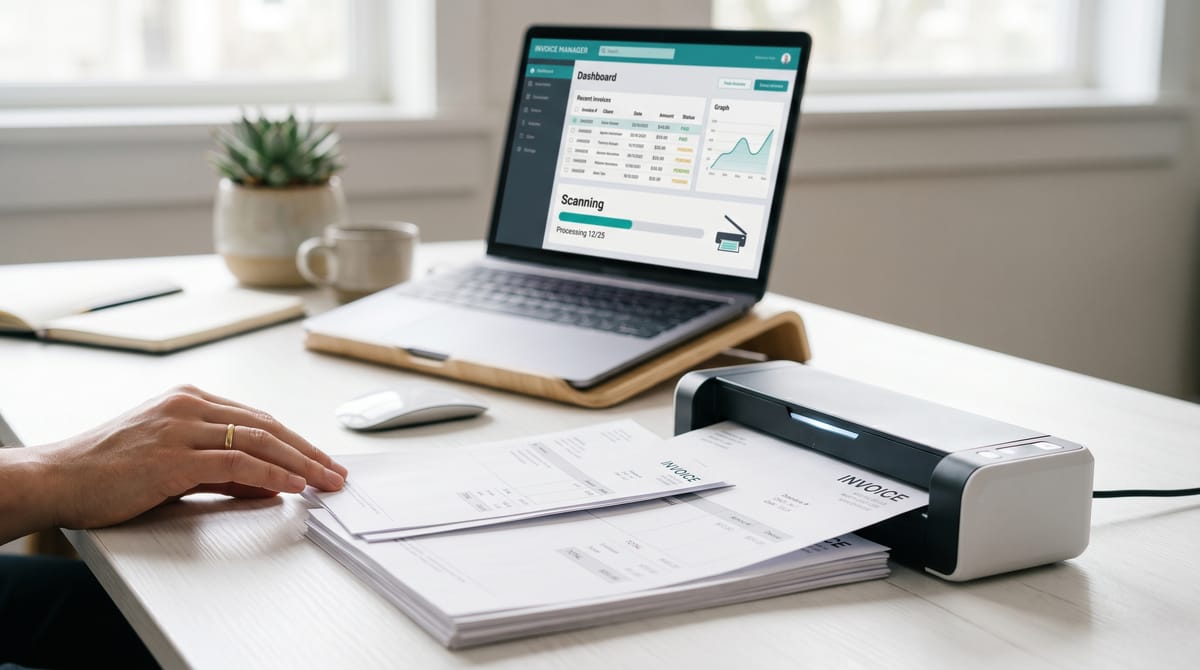
At some point, most bookkeepers have sat at a desk surrounded by a small mountain of supplier invoices — some scanned, some emailed as PDFs, one photographed at a precarious angle by a client who clearly held the phone with one hand and a mug of tea with the other — and thought: there has to be a better way.
There is. AI invoice processing tools extract supplier names, dates, invoice numbers, VAT amounts, line items, and PO references from documents automatically. (For simpler receipt-level capture, see our best AI receipt capture tools roundup.), then push that structured data into your accounting software. What used to take a junior bookkeeper most of a day now takes closer to twenty minutes of reviewing and approving. The accuracy of the better tools is genuinely impressive — consistently cited at 98–99% — which means you are checking, not keying.
Our top pick for UK invoice processing
This article covers the five main tools used by UK bookkeeping practices in 2026: Dext, AutoEntry, Datamolino, Receipt Bot, and Hubdoc. We look at UK pricing, integration quality, VAT handling, and which situations each tool suits best.
What Does Invoice Processing Actually Involve?
Before comparing tools, it is worth being precise about what we mean. AI invoice processing — in the context bookkeepers actually care about — involves:
- Capture: Getting the document into the system (mobile photo, email forward, PDF upload, or auto-fetch from a supplier portal).
- Extraction: The AI reads the document and pulls out structured fields: supplier name, invoice date, due date, invoice number, net amount, VAT amount, gross amount, VAT rate, line items, PO number.
- Coding: The tool applies a nominal code, cost category, and VAT treatment — usually learned from previous entries for that supplier.
- Publish: The coded transaction is pushed to Xero, Sage, QuickBooks, or FreeAgent as a bill or purchase invoice, with the original document attached.
Most tools handle purchase invoices (bills from suppliers) well. Sales invoice processing — reading your clients' outgoing invoices — is less universally supported and worth checking if relevant. Supplier statement reconciliation, where the tool matches individual invoices to a monthly supplier statement, is another useful feature that not all tools offer.
For UK bookkeepers specifically, correct VAT treatment is non-negotiable. Getting this right is a key part of automating your bookkeeping workflow. The better tools automatically identify the VAT rate on each line, flag mixed-rate invoices, and group invoices by VAT period — which is increasingly useful under Making Tax Digital.
Quick Comparison Table
| Tool | Starting Price (ex. VAT) | Best For | Xero | Sage | QBO | Free Trial |
|---|---|---|---|---|---|---|
| Dext | ~£165/month (10 clients) | Multi-client practices | ✓ | ✓ | ✓ | Yes |
| AutoEntry | Credit-based (contact for quote) | Sage users; flexible billing | ✓ | ✓ | ✓ | Yes |
| Datamolino | £39/month (Launch plan) | Multi-format, multi-entity | ✓ | ✗ | ✓ | 14 days |
| Receipt Bot | ~£13/month (Starter) | Budget-conscious practitioners | ✓ | ✓ | ✓ | 30 credits free |
| Hubdoc | Free (with any Xero plan) | Xero shops on a budget | ✓ | ✗ | ✓ | 30 days |
Prices ex. VAT, as published May 2026. Always verify current pricing before committing. Datamolino's Sage column reflects absence of a native integration at the time of writing.
Individual Tool Reviews
1. Dext — Best Overall for Multi-Client Practices
Price: From approximately £165/month ex. VAT for 10 clients on the Essentials plan (annual contract, paid monthly). Per-client costs reduce at higher volumes — 50 clients runs around £465/month, 100 clients around £715/month. A separate Dext Solo product is available for self-employed and landlord clients at lower rates. Annual subscriptions offer a 13% saving over monthly billing.
Dext (formerly Receipt Bank, since you have almost certainly had that conversation with a client who still calls it that) is the market leader in the UK for document capture and processing. It has been at this for over a decade and the product reflects that experience.
The data extraction covers purchase invoices, sales invoices, receipts, and bank statements. Line item extraction — capturing individual rows on a multi-line invoice — is available as an add-on credit. Supplier statement extraction is included in the Advanced plan. The Invoice Fetch feature automatically retrieves invoices from over 1,600 supplier portals, including Amazon and Uber, which is particularly useful for practices with e-commerce clients.
VAT handling is solid throughout. Dext identifies UK VAT rates, handles mixed-rate invoices, and categorises accordingly. The auto-publish and auto-categorisation features on the Advanced plan can process routine invoices with no manual intervention — sensible once you have trained the supplier rules and have confidence in the output.
The Advanced plan also adds practice productivity tools: an MTD deadlines dashboard, workflow management, team and location management, and a client list with status reporting. For a practice managing more than a handful of clients, this is where Dext earns its keep.
Integrations: Xero, Sage, QuickBooks, FreeAgent, and over 30 other general ledger systems. Widely regarded as the most extensively integrated tool in this category.
Pros:
- Broadest integration list — almost every accounting platform covered
- Supplier statement reconciliation built in (Advanced plan)
- Invoice Fetch from 1,600+ supplier portals
- Practice workflow and MTD management tools
- 99% extraction accuracy; strong real-world reputation
Cons:
- Pricing restructure in 2023 was controversial and costs more than some alternatives at lower client volumes
- Per-client model means costs compound as the practice grows
- Line item extraction and supplier statement credits are additional to the base plan
- Some users report the interface can be slow with large document volumes
Verdict: Dext is the default choice for established UK practices with ten or more clients who want a single, well-integrated platform. Read our in-depth Dext review for the full picture that handles the full document-to-ledger workflow. If you manage a mixed client base across multiple accounting platforms, nothing else comes close for breadth of integration. The pricing is not the cheapest, but the time saving across a 30-client practice makes the maths work.
2. AutoEntry — Best for Sage Users and No-Contract Flexibility
Price: Credit-based rolling monthly subscription. Plans are structured around a monthly credit allowance — one credit per invoice or receipt, three credits per page of bank statement — with unused credits rolling over for up to 90 days. No long-term contracts. Specific GBP plan prices are best confirmed via the AutoEntry website or credit calculator.
AutoEntry is now owned by Sage, which tells you something about its positioning. It is the natural companion for practices already running Sage 50, Sage 200, or Sage Accounting, and the integration is clean and well-maintained. That said, it also integrates with Xero, QuickBooks, and FreeAgent — you are not confined to the Sage world.
The core feature set covers invoices, receipts, expenses, and bank statement extraction at up to 99% claimed accuracy. VAT handling is competent: it reads UK VAT codes from documents and maps them to the relevant chart of accounts. Supplier statement reconciliation is a documented strength, particularly for sectors with monthly statements — construction, wholesale distribution, and trade suppliers generally.
AutoEntry has won the Institute of Certified Bookkeeping LUCA Award for Data and Expenses App of the Year multiple times: 2021, 2022, and 2023. That is a meaningful endorsement from practitioners rather than a technology publication.
The no-contract model is practically useful. You can increase your credit plan ahead of a busy period and scale back when volumes drop, without penalty or notice requirements beyond 24 hours before renewal. For practices with seasonal peaks — end of VAT quarter, year-end catch-ups — this flexibility has real value.
Also worth noting for UK practices: AccountsPrep is a UK and Ireland exclusive add-on to AutoEntry subscriptions. It allows you to prepare, adjust, and output a trial balance for clients who have no ledger — useful for the accounts that arrive without any supporting software connection.
Integrations: Sage (all major versions), Xero, QuickBooks Online, FreeAgent, and others.
Pros:
- Strongest Sage integration of any tool in this list
- No contract — genuine monthly flexibility with no exit costs
- Credit rollover for up to 90 days handles uneven document volumes
- Multiple ICB LUCA awards; well-regarded among practising bookkeepers
- AccountsPrep add-on useful for UK practices with unintegrated clients
- Supplier statement reconciliation included
Cons:
- Pricing transparency is lower than some competitors — you need the credit calculator to understand actual monthly cost
- Fewer practice management features than Dext Advanced
- Being Sage-owned may prompt mild unease among committed Xero practices (in practice, the tool functions independently)
Verdict: If the majority of your clients are on Sage, AutoEntry should be at the top of your shortlist. The integration depth is genuine, the ICB endorsement carries weight, and the rolling monthly model suits practices that do not want to be locked into annual contracts. For mixed practices it remains a credible choice, though Dext or Datamolino may offer slightly more flexibility across different accounting platforms.
3. Datamolino — Best for Multi-Format and Multi-Entity Situations
Price: The Launch accounting plan is £39/month ex. VAT for unlimited client companies and unlimited users, with metered billing for excess documents at £0.26 per additional bill or receipt and £0.60 per excess bank statement sheet. The Scale plan is £135/month; Expand is £500/month for high-volume practices. Business plans start at £7/month for a single company with 25 documents. A free 14-day trial is available.
Datamolino holds a rating of 4.91 out of 5 from over 400 Xero App Store reviews — the sort of score that takes years of consistent quality to build. It has been in the Xero App Store since January 2014 and is actively maintained.
The tool handles the standard capture workflow — mobile app, email forwarding, browser upload — and extracts data from invoices, bills, receipts, and bank statements. Line item extraction is available as an upgrade. Where Datamolino distinguishes itself is in multi-entity and multi-format handling: you can run multiple folders connected to the same Xero organisation, each with distinct automation rules, nominal codes, tracking categories, and VAT treatment. This is useful for clients with multiple trading entities, departments, or project-based cost allocation.
The intelligent PDF split feature automatically separates multiple invoices scanned into a single PDF — a practical feature for clients who feed documents through a scanner without separating them first. CIS (Construction Industry Scheme) invoice support is included for Xero users, which is relevant for a significant portion of UK bookkeeping practices. Sales invoice processing is supported via a dedicated subfolder within each client folder.
Bank statement coverage extends to every major UK bank: Barclays, HSBC, NatWest, Lloyds, Santander, Metro Bank, Revolut, and others. Results are validated against the statement header data and closing balance before export.
Integrations: Xero, QuickBooks Online, FreeAgent, Acumatica, ApprovalMax. No native Sage integration at the time of writing.
Pros:
- Flat unlimited-client pricing — costs do not compound as you add clients
- Outstanding reputation: 4.91/5 from 400+ Xero App Store reviews
- Multiple folders per Xero organisation with independent rules
- CIS invoice support included
- Intelligent PDF split handles batch-scanned documents
- Covers all major UK banks for statement processing
- Sales invoice subfolder included as standard
Cons:
- No Sage integration — rules Datamolino out for Sage-based practices
- Practice management features are lighter than Dext Advanced
- Line item capture is an additional upgrade cost
Verdict: Datamolino is the strongest choice for Xero-focused practices that want predictable pricing and reliable extraction across varied document formats. The unlimited-client model at £39/month is genuinely competitive once you move beyond a handful of clients. The user ratings reflect real-world quality — this is a tool that does what it says consistently, backed by responsive support.
Try Datamolino free for 14 days →
4. Receipt Bot — Best Budget Option for Smaller Practices
Price: A free Basic plan includes 10 document credits. The Starter paid plan is approximately £13/month ex. VAT for 45 document credits (45 invoices or receipts, or 15 pages of bank statement). Standard provides 150 credits; Pro gives 510 credits; Premium provides 1,800 credits. A 20% introductory discount applies for the first six months on all paid plans. Unused credits carry forward for up to six months. All plans include unlimited users and unlimited client entities. VAT applies for UK-based subscribers.
Receipt Bot occupies the budget end of this market without making the tool feel underpowered. For a direct head-to-head, see our Dext vs Receipt Bot comparison. The extraction accuracy is strong — advanced OCR combined with human verification of results — and it covers purchase invoices, sales invoices, receipts, and bank statements. VAT rate extraction and HMRC-aligned VAT summaries are included, and the tool supports direct VAT return submission to HMRC.
The document credit model is logical. Sole traders and small businesses on the free or Starter plan have sufficient capacity for their own volumes. For bookkeepers managing multiple clients, the unlimited entities and users inclusion on all plans means you are buying processing capacity, not paying per client company.
One feature worth noting: data extraction is verified by qualified staff. Receipt Bot uses a combination of automated AI and human review, which adds a quality assurance layer on challenging documents. This is a different approach to the fully automated processing of Dext or Datamolino, and has implications for turnaround time on difficult submissions.
The tool also offers a Zapier integration, which opens up flexible document collection workflows for practices where clients already use specific systems for document management.
Integrations: Xero, QuickBooks Online, Sage Accounting, Zapier, API.
Pros:
- Lowest entry cost of any paid tool in this comparison
- Free plan available for very small volumes
- Unlimited clients and users on all plans
- Human verification adds quality assurance on challenging documents
- VAT return submission to HMRC included
- Six-month credit rollover provides genuine flexibility
Cons:
- Fewer practice management features than Dext or AutoEntry
- Smaller market profile in the UK — less peer community knowledge available
- Human verification model means processing is not always immediate
- Credit volume constraints can be a problem at peak periods even with rollover
Verdict: Receipt Bot is the sensible choice for sole practitioners with a modest client list, or for bookkeepers who want to offer document processing to smaller clients without absorbing the cost of a Dext-level subscription. The unlimited client model and human verification make it perform above its price point. It is not the right tool for a 50-client practice with high document volumes, but for the right use case it is difficult to argue with the value.
5. Hubdoc — Best Value When You Are Already on Xero
Price: Free — included in all Xero UK subscription plans (Simple at £7/month, Ignite at £18/month, Grow at £39/month, Comprehensive at £55/month, Ultimate at £70/month, all ex. VAT). For practices managing clients through the Xero partner programme, the published partner rate is £10 per client per month for 1–24 clients, with volume discounts at higher tiers. Xero Silver, Gold, and Platinum partners receive Hubdoc free as part of the partner programme benefits.
Hubdoc was acquired by Xero in 2018 and is now fully embedded in the Xero product. If your clients are already on Xero, Hubdoc is already included in their subscription — nothing extra to sign up for, no separate invoice, no additional contract to manage.
The core functionality covers document capture via mobile, email, web upload, or desktop scanner; data extraction from bills and receipts; automatic matching to the Xero bank feed; and secure cloud storage. It syncs tax rates, contacts, and tracking categories from Xero automatically.
Where Hubdoc falls short is extraction sophistication. Xero App Store reviews average 3.3 out of 5 from 226 users — notably lower than the other tools in this comparison — with recurring mention that line item extraction is absent. This is a material gap for bookkeepers handling multi-line purchase invoices. The product has seen limited development investment since the Xero acquisition, and some long-standing users have since moved to dedicated tools.
For straightforward document capture — snapping receipts, uploading single-line invoices, maintaining a paperless record — Hubdoc does what is needed. For anything requiring line-by-line coding, supplier statement reconciliation, or non-standard document formats, you will likely be supplementing it with something else.
Integrations: Xero (native), QuickBooks Online. No Sage integration.
Pros:
- Free with all Xero client subscriptions — zero additional cost
- Zero setup friction: it is already in Xero
- Native Xero bank feed matching works well for basic transactions
- Document storage included; accessible from anywhere
Cons:
- No line item extraction — a significant gap for complex invoices
- No Sage integration
- Mixed Xero App Store reviews; product development has been slow post-acquisition
- Limited supplier statement reconciliation capability
- Not suitable for high-volume or complex invoice processing
Verdict: Hubdoc is adequate for clients with straightforward bookkeeping needs — sole traders, landlords, small businesses with uncomplicated supplier relationships. As a free inclusion with Xero, it would be unreasonable to expect more. But if a client's paperwork involves multi-line invoices, CIS materials schedules, or regular supplier statements, you will want either to supplement Hubdoc with a dedicated tool or replace it outright.
Key Features to Look For
When evaluating any invoice processing tool for a UK practice, these are the features that matter in day-to-day use:
VAT Extraction and Treatment
The tool must correctly identify the VAT rate on each line — 20%, 5%, 0%, exempt — and map it to the correct VAT code in your accounting software. Mixed-rate invoices, common in construction, hospitality, and utilities, should be handled without manual splitting. Look for tools that group invoices by VAT period and generate a VAT summary for MTD compliance.
Purchase Invoice vs Sales Invoice Handling
Most tools prioritise purchase invoices. If you need to process clients' outgoing sales invoices, confirm this is supported. Datamolino and Receipt Bot both handle sales invoice processing as standard.
Supplier Statement Reconciliation
Matching individual invoices against a supplier's monthly statement catches duplicates, missed invoices, and credit notes. This is a material time saving for practices with trade clients who receive regular statements from building suppliers or distributors. Dext and AutoEntry both offer this; confirm availability and any additional cost before choosing.
Line Item Extraction
For clients who allocate costs to projects or need expense analysis at product level, line item extraction matters. Most tools charge extra for it. Understand whether it is included or an add-on before comparing headline prices.
Integration Quality
A tick in a list of supported integrations is not the same as a well-maintained integration. Check recent user reviews for your specific accounting software. AutoEntry's Sage integration is widely regarded as best-in-class; Datamolino's Xero integration has outstanding reviews; Hubdoc's native Xero connection is reliable for basic transactions.
Document Submission Methods
The more ways a client can get documents into the system — email forwarding, mobile app, desktop upload, auto-fetch from supplier portals — the higher the adoption rate. If clients are resistant to changing habits, a tool with email forwarding and minimal setup friction matters more than advanced features they will not use.
Which Tool for Which Situation
| Situation | Recommended Tool |
|---|---|
| Multi-client practice, mixed accounting platforms | Dext — broadest integration list |
| Most or all clients on Sage | AutoEntry — deepest Sage integration, Sage-owned |
| Xero-only practice, growing client list, cost-conscious | Datamolino — unlimited clients at flat monthly rate |
| Sole practitioner or small practice on a tight budget | Receipt Bot — lowest entry cost, unlimited clients |
| Clients on Xero, simple invoices, no budget for add-ons | Hubdoc — free with Xero, adequate for straightforward needs |
| Construction clients requiring CIS invoice handling | Datamolino (Xero) or Dext |
| Clients with multiple entities, sites, or departments | Datamolino — multiple folders per Xero org with distinct rules |
| Practice with seasonal peaks, want billing flexibility | AutoEntry — no contract, scale credits up and down monthly |
Ready to Take the Next Step?
All five tools offer free trials, which is how it should be. There is no substitute for uploading twenty real invoices from your actual clients and seeing how each tool handles your document types before committing. The differences in extraction quality only become apparent when you introduce awkward layouts, handwritten annotations, or photographs taken in uncertain lighting — which is to say, the documents your clients actually send you.
The practical suggestion: shortlist two tools based on your primary accounting platform and client volume. Many of these tools pay for themselves within a week, run the free trials in parallel, and compare them on the time you actually spend reviewing and correcting output. That number — review time, not the headline accuracy percentage — is what affects your margins.
- Start a free Dext trial
- Start a free AutoEntry trial
- Start a free Datamolino trial (14 days)
- Start a free Receipt Bot trial
- Connect Hubdoc to Xero
Pricing data sourced from vendor websites and the Xero App Store. All prices quoted ex. VAT and correct as of May 2026. Pricing is subject to change — verify current rates before purchasing.
Related Reading
- Best AI Receipt Capture Tools for UK Bookkeepers
- Dext Review 2026: Full Feature Breakdown and Pricing
- How to Automate Your Bookkeeping with AI in 2026
Affiliate disclosure: Some links on this page are affiliate links. If you sign up to a tool via one of our links, we may earn a commission at no extra cost to you. This does not affect our editorial independence — we only recommend tools we have genuinely researched and would consider using ourselves.